 ctrlhq
AI usage limits
Know before you hit the limit.
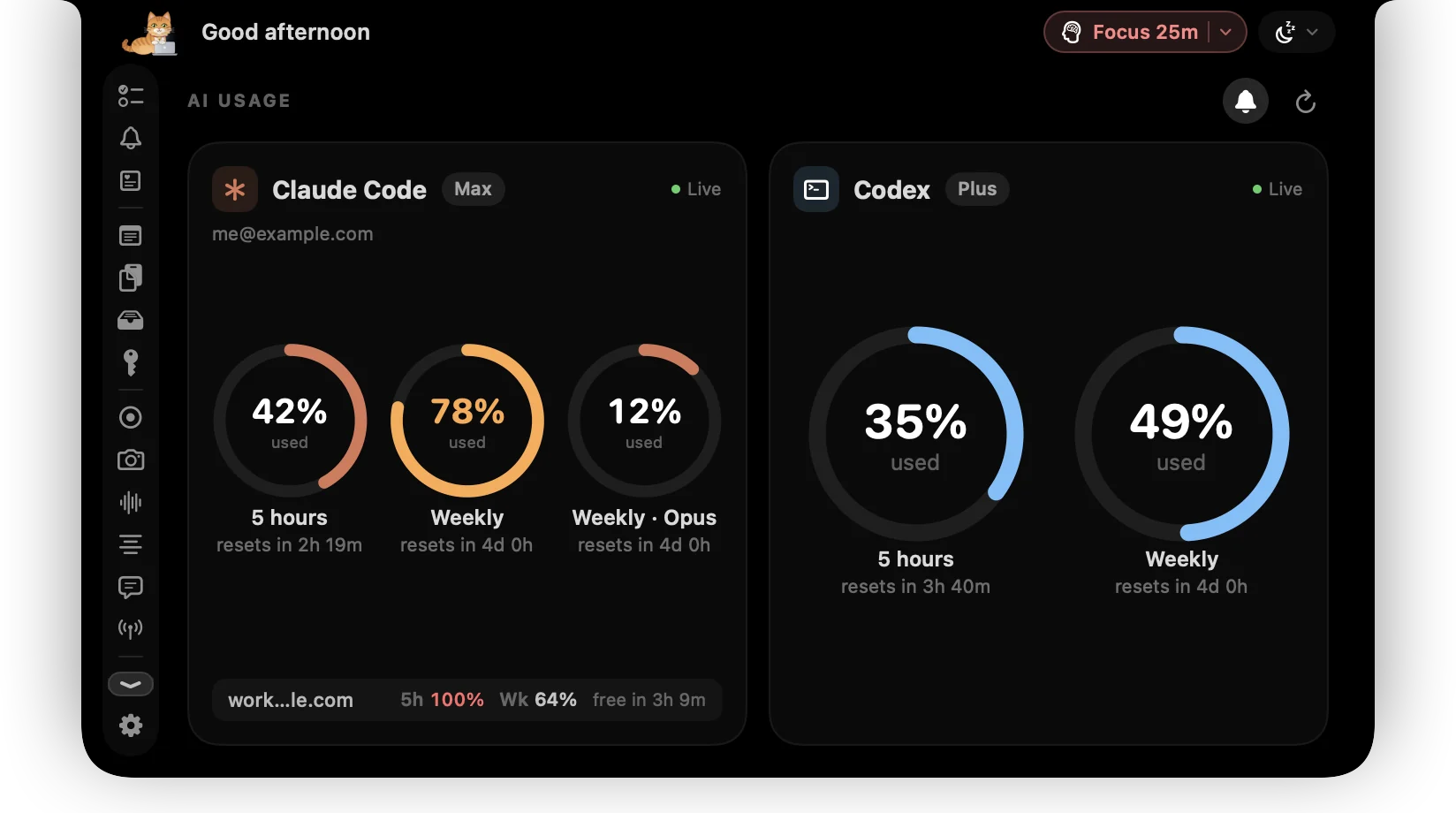
Claude Code and Codex plan limits side by side: the 5-hour window, the weekly cap and when each resets, for every account you use.
14-day money-back guaranteeAlready bought? Download
Nothing breaks a flow like hitting your AI plan limit halfway through a task.
ctrlhq reads your limits on your Mac: from Claude Code's status line (or its sign-in, if you prefer live numbers) and from the Codex CLI. You see how much of each window you've used and when it resets.
Juggle more than one account? ctrlhq remembers each one's last numbers, so you can see when your other account frees up without signing in to it, and the notch tells you the moment a limit resets.
Try it
Claude CodeMax
resets in 2h 19m
resets in 4d 0h
work@studio.dev
CodexPlus
resets in 3h 41m
resets in 4d 1h
side@gmail.com
What you get
Claude Code and Codex
Both side by side, with your plan name.
Every window
The 5-hour window, the weekly cap and model-specific limits where they apply.
Reset times
See exactly when each window frees up.
Multiple accounts
Switch accounts in the CLI and the last one's usage and reset times stay on screen, one line per account.
Reset alerts
A short message on the notch sign when a limit you were close to resets. Turn it off with the bell in the AI usage tab.
No new sign-in
Uses the CLIs you already have. No API keys to paste, and Claude's limits can be read with no network at all.
Questions
Do I need both tools?
No. ctrlhq shows whichever of the two you have installed.
Does it work with more than one account?
Yes. ctrlhq notes which account each CLI is signed in to and keeps the last limits it saw for every account, on your Mac. The account you're signed in to shows live; the others show their last numbers and when they reset. Right-click an account to forget it.
Also in the notch
All featuresScreen time
App usage for today and the last 7 days, plus your battery's health.
Learn moreTime tracking
Your tasks and the running timer live in the notch, so you never forget to start or stop.
Learn moreKeyboard shortcuts
Global shortcuts for everything you do often. They work in any app and can all be rebound.
Learn more

AI usage limits, and everything else.
Every feature is in one app, for one price: $19 once, no subscription, and a full refund within 14 days if it isn't for you.
14-day money-back guaranteeAlready bought? Download
macOS 26 Tahoe or later · Apple silicon & Intel