The all-in-one notch app for Mac
Take control
from the notch.
Tasks, timers and focus sessions to run your day. Screen recording, clipboard, disk cleanup and AI limits to run your Mac. ctrlhq is the HQ that lives in your notch, one hover away. Offline, no account, and your data stays on your Mac.
Launch price:14-day money-back guarantee · macOS 26 Tahoe+ · Native, about 12 MB · No subscription · No account
Why productivity apps never stick
Out of sight, out of mind.
Your to-do app, your timer, your focus app: each one works for a week. Then they end up behind a dozen windows, and your day runs on memory and guesswork again.
The problem isn't discipline, it's visibility. ctrlhq can't get lost. It sits in the notch at the top of your screen, where it never gets closed or buried. Your next task and the running timer are always in view. Hover and everything opens. Move away and it tucks back in.
1 · Capture
Add it without switching apps.
⌘⇧Space from anywhere. Tags, priority and day are parsed as you type.
What do you need to do?
›
2 · Track
One click. Always visible.
Start a timer from the list or with ⌥⌘T. It ticks in your notch all day, so you always know it's running.
Visible in every app, every Space
3 · Stay honest
Walked away? ctrlhq asks.
When you come back after a break, keep the time, remove it, or remove it and stop. No more phantom hours.
You've been away for 0 min
Keep tracking “Website redesign”?
What ctrlhq isn't
Your day, run from your laptop. That's it.
ctrlhq is for the work you do at your Mac, so everything lives on your Mac. Nothing to sign up for, sync, or manage.
- Works fully offline
- One JSON file, export to CSV any time
- Nothing about your work ever leaves your Mac
- No mobile app
- No web dashboard
- No account
- No cloud sync
- No team features
- No subscription
- No telemetry
One hover away
One notch. Your whole toolkit.
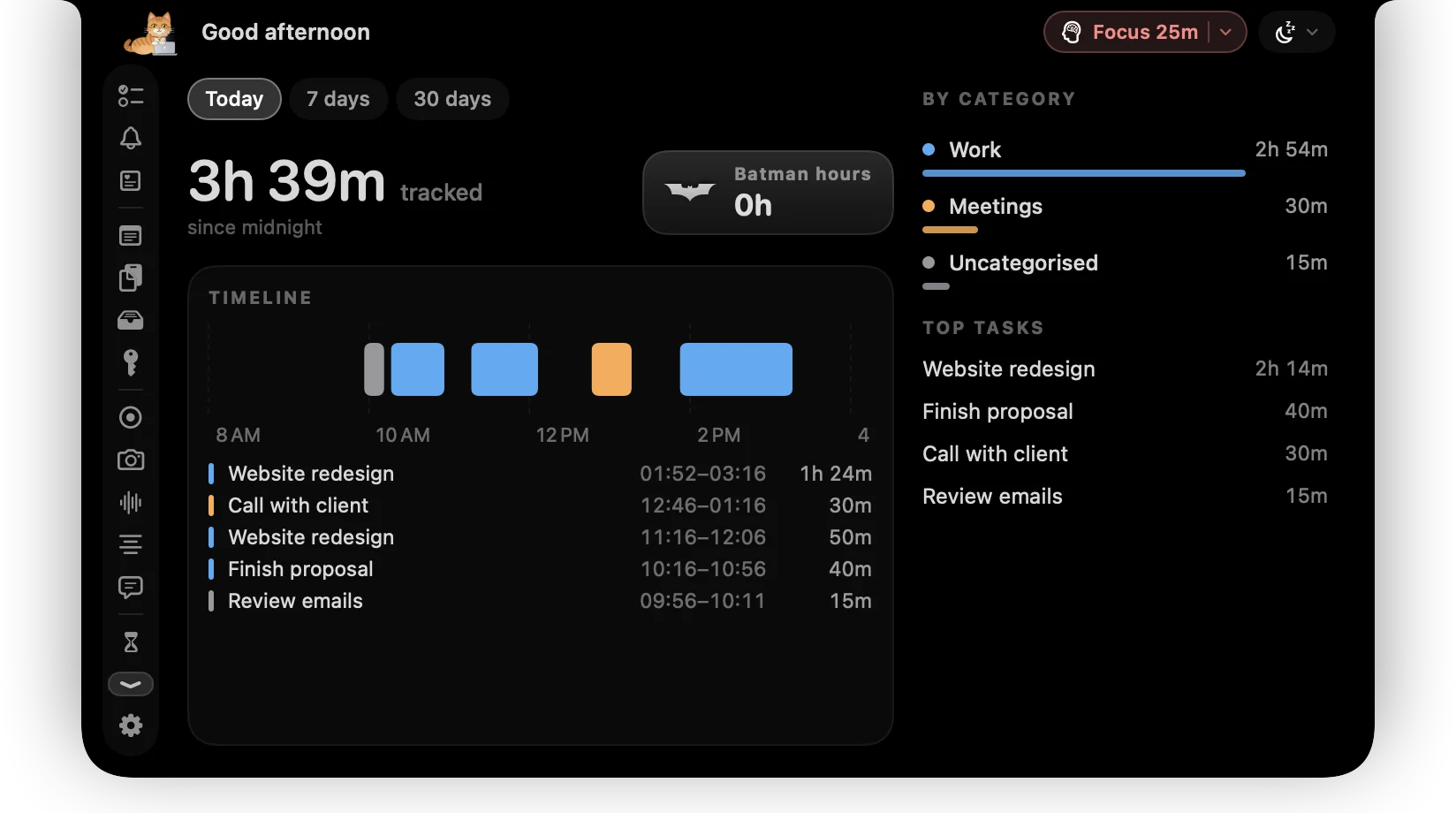
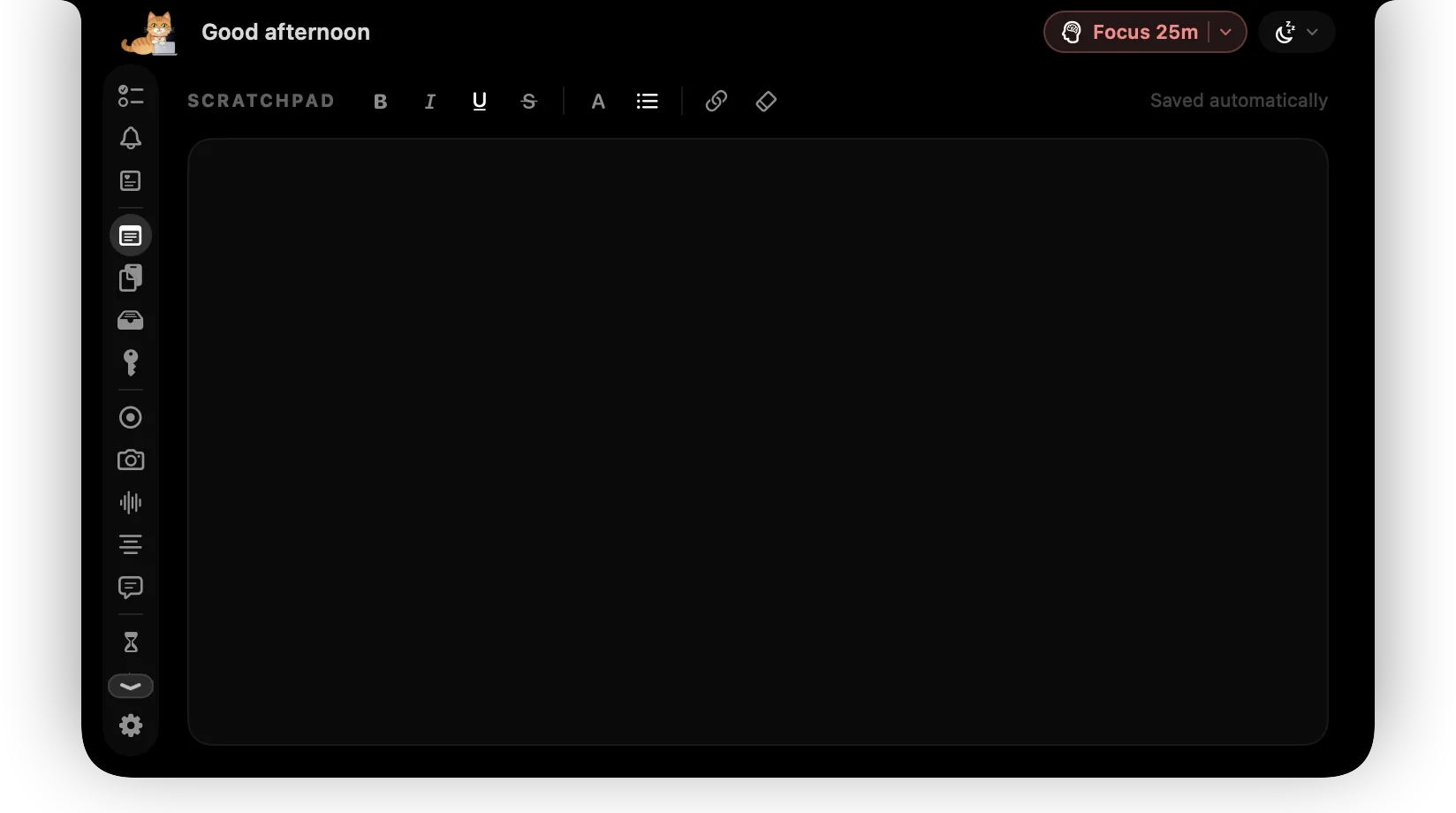
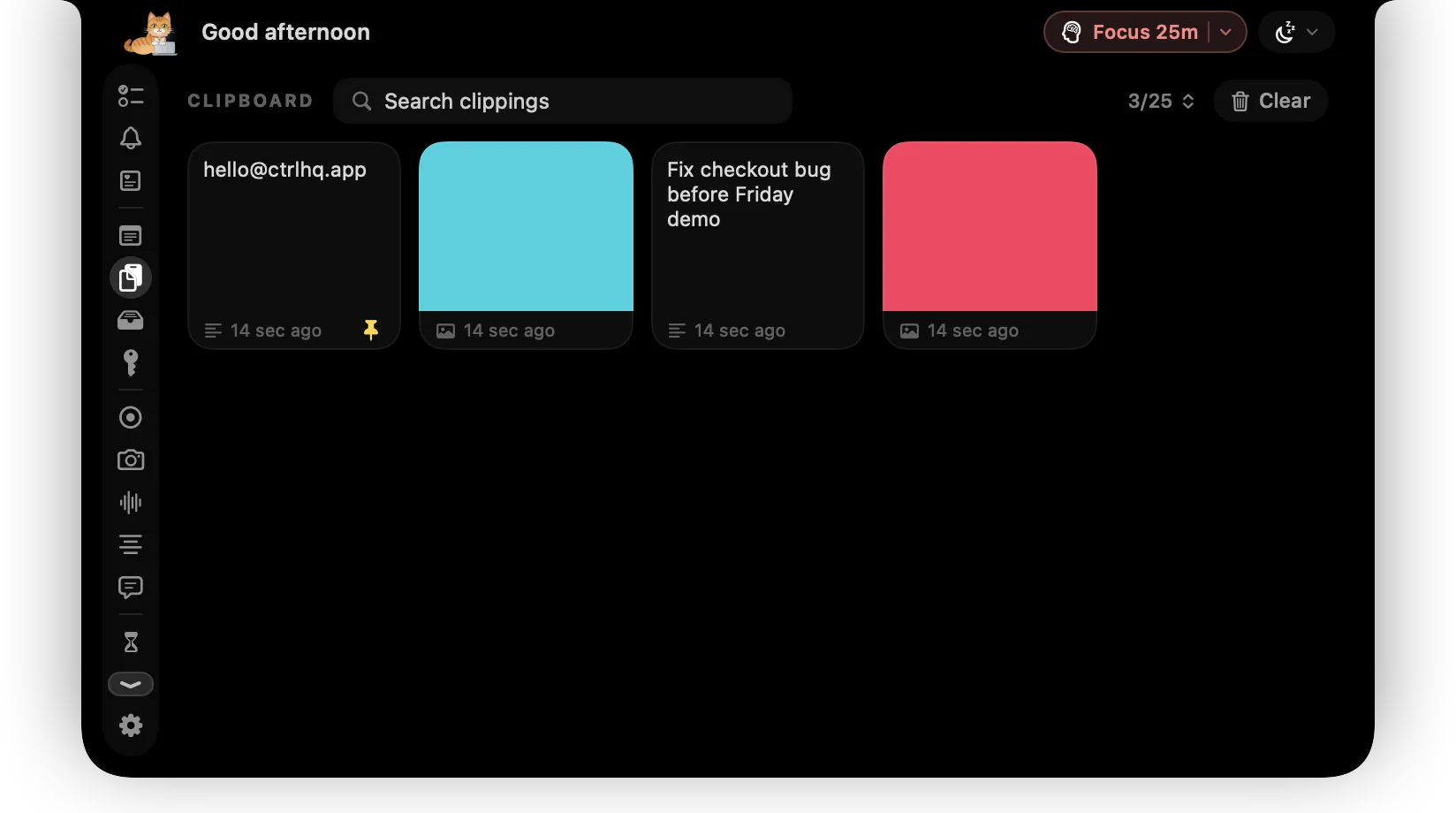
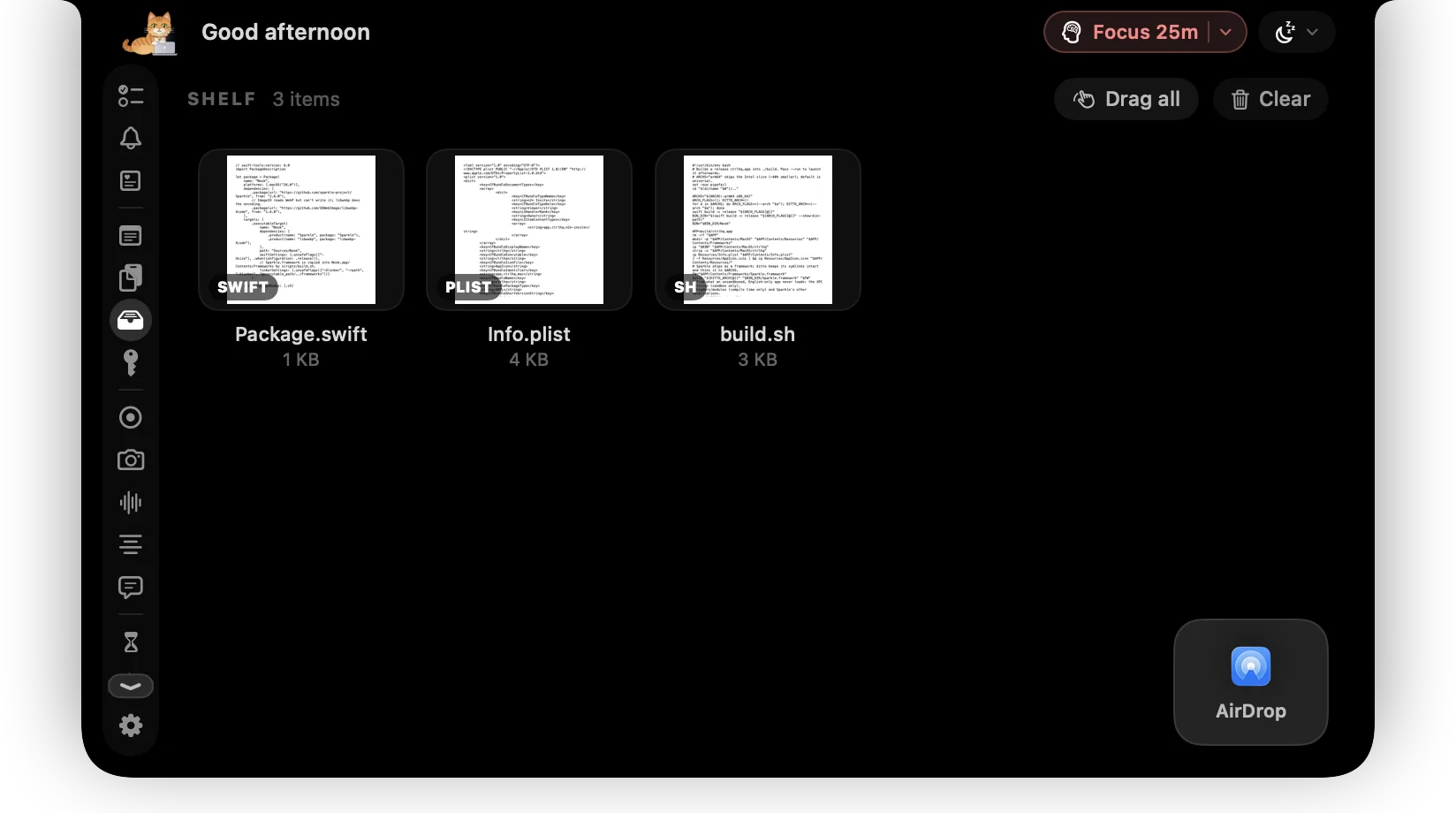
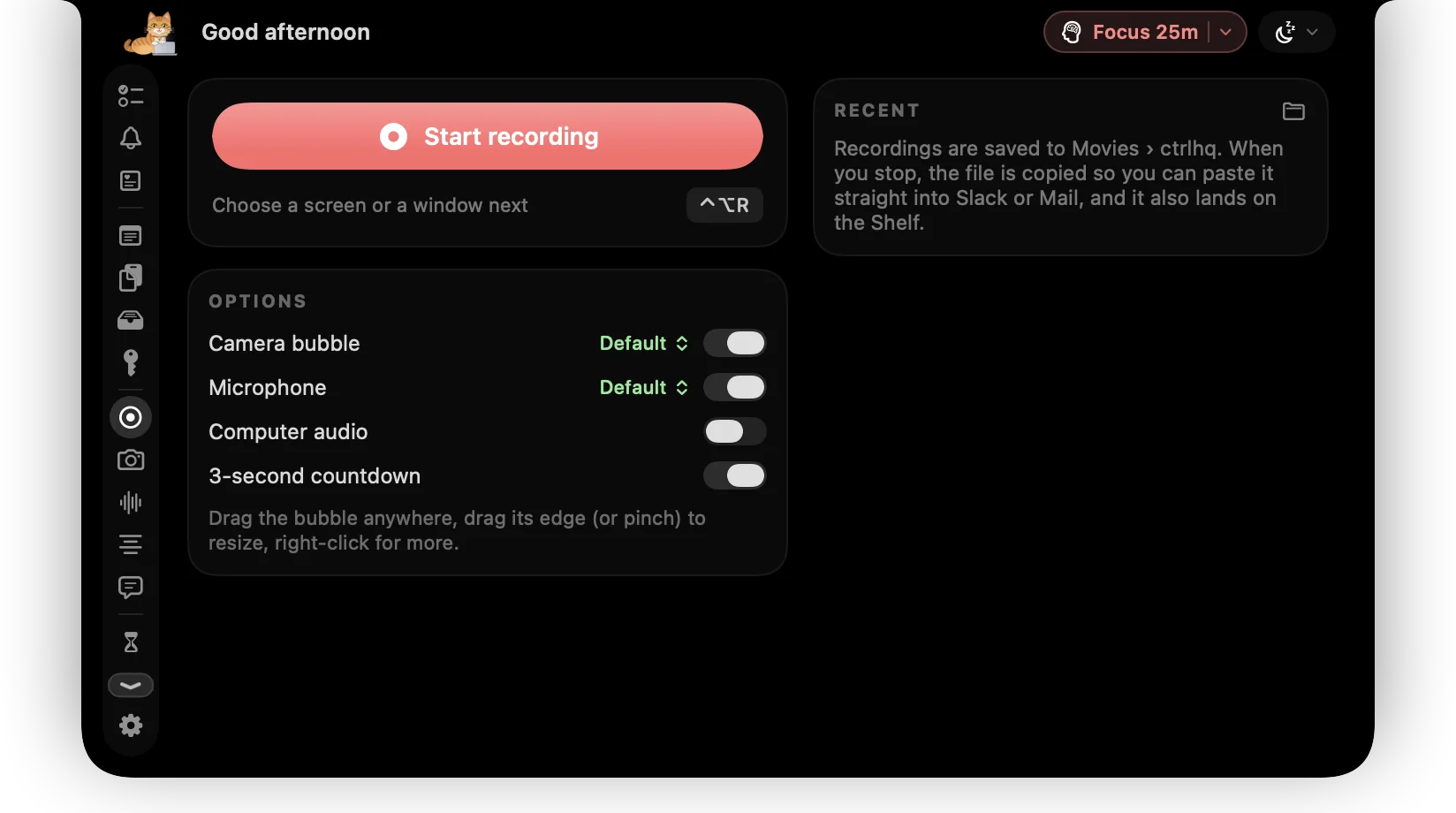
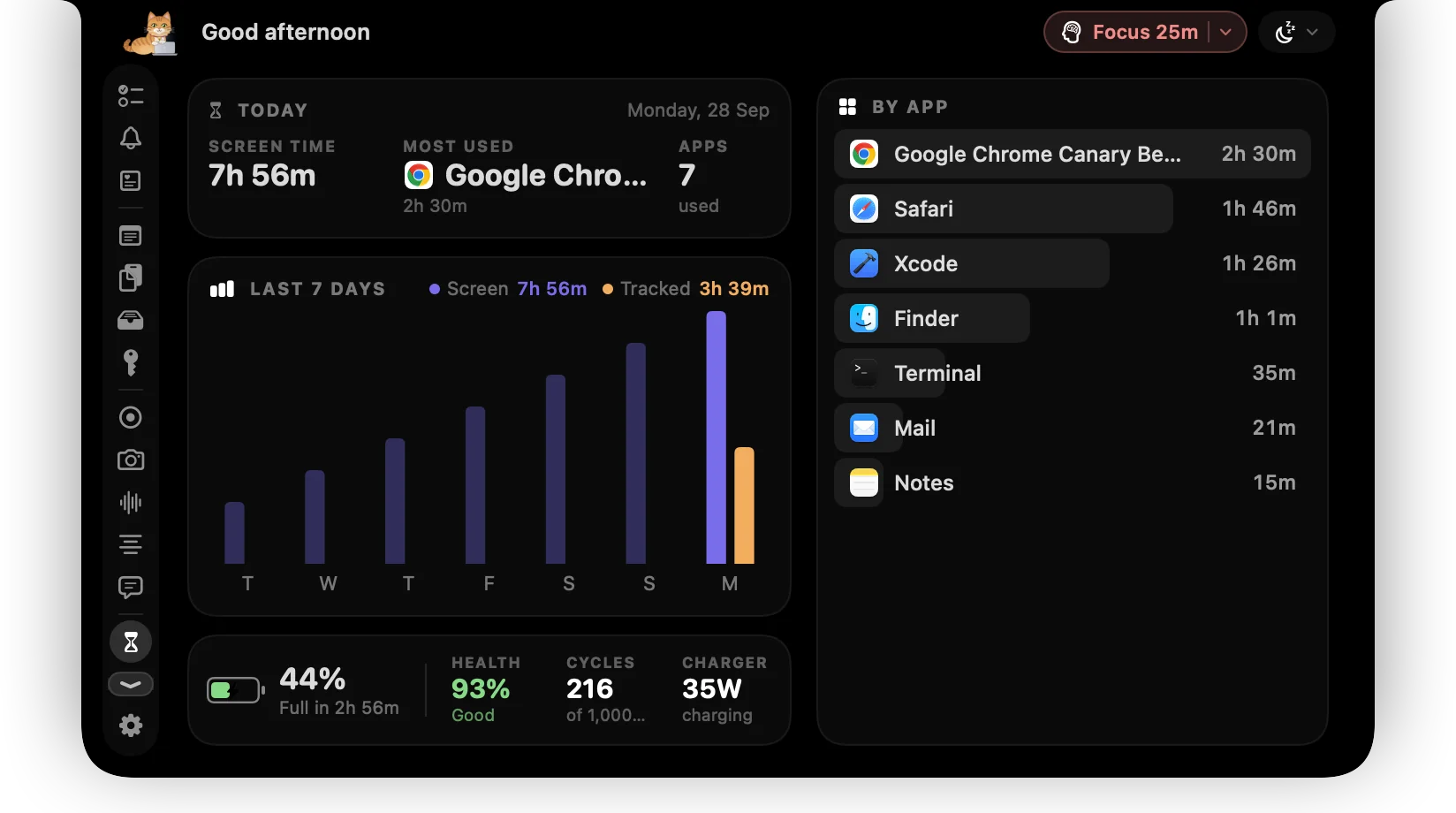
Tasks, time, focus, clipboard, screen time and more. All of it opens when you hover and gets out of the way when you don't.
01 / 14
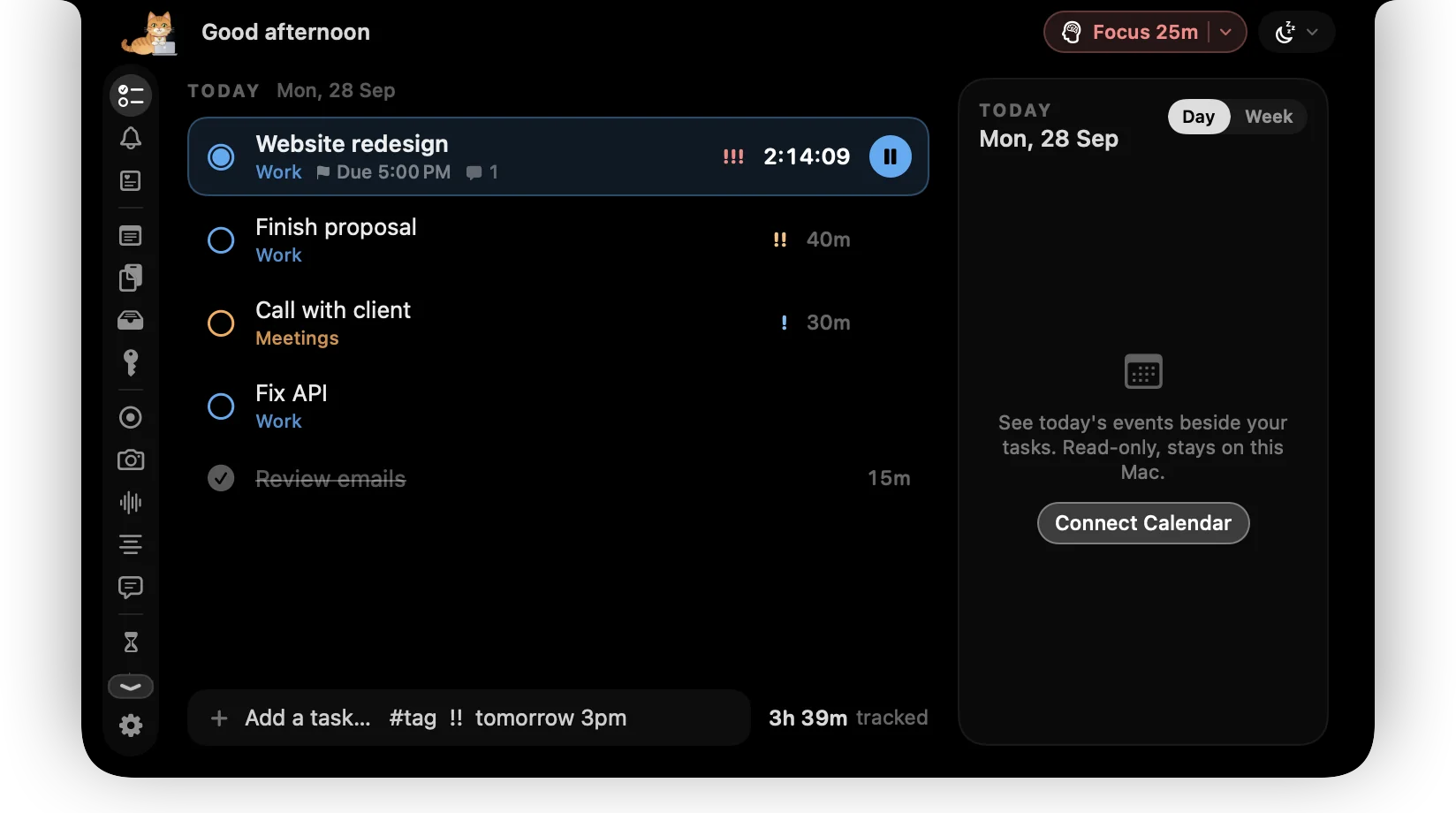
Tasks & timers
Your tasks for today with categories, priorities and due dates. Click a task to start its timer, click again to stop. Switching tasks moves the timer with you.
More about tasks & timersCalls, videos and demos
Built for the camera, too.
Record a walkthrough, keep notes on a call, read your script without looking away. All from the notch, all on your Mac.
Screen recording
Loom, minus the upload.
A screen or one window, your face in a bubble, your mic and your Mac's audio. The .mp4 lands in Movies and on your clipboard. ⌃⌥R starts and stops.

Screen or window
mic + system audio
Meeting notes
Transcripts that stay private.
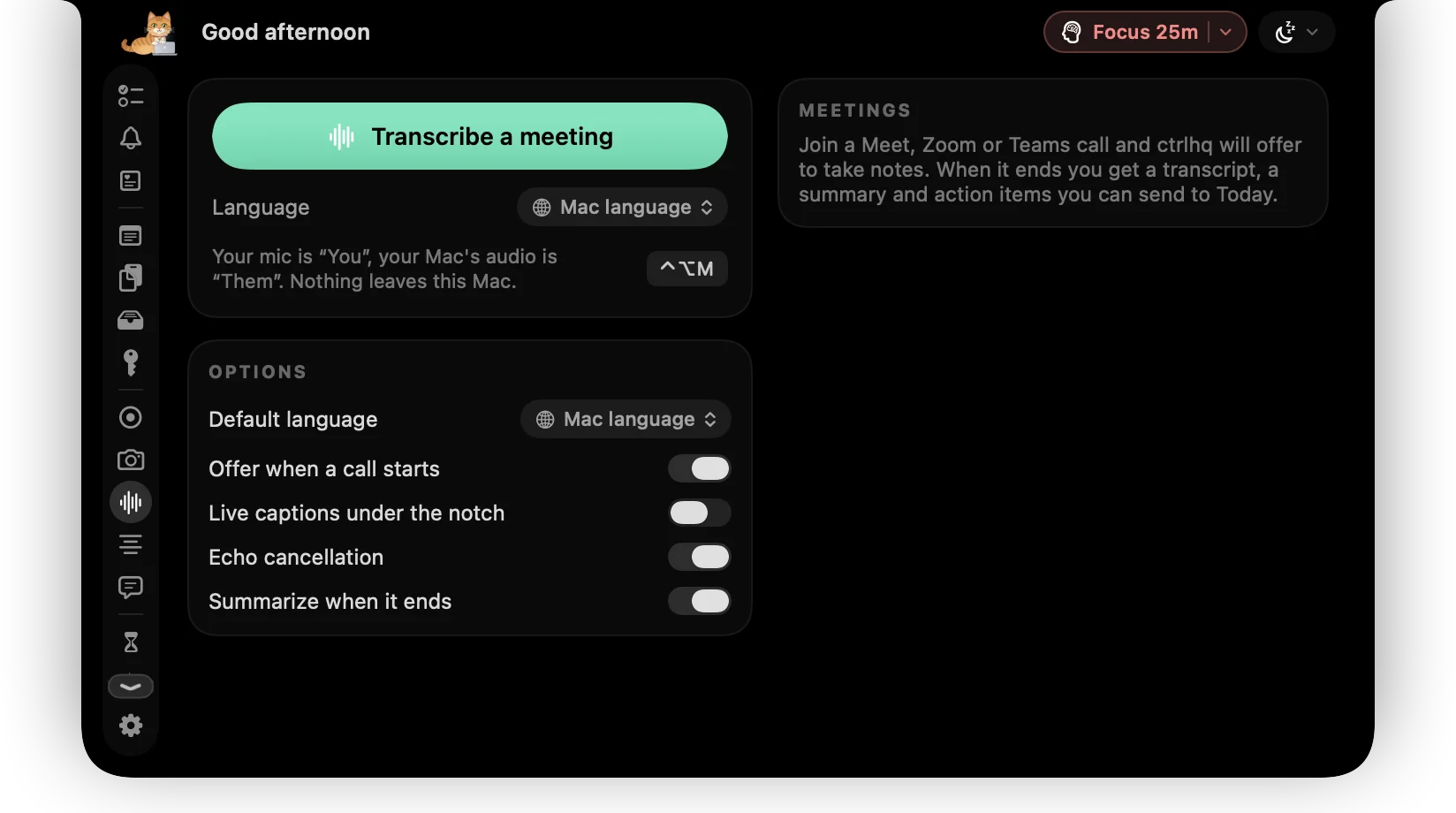
ctrlhq notices a Meet, Zoom or Teams call and offers to take notes. Speech is transcribed on-device, then summarised with action items you can send to Today. Share your screen and the transcript stays yours.
Action items
- Update the launch timeline Today
- Send the deck to Priya Today
Teleprompter
Read your script. Keep eye contact.
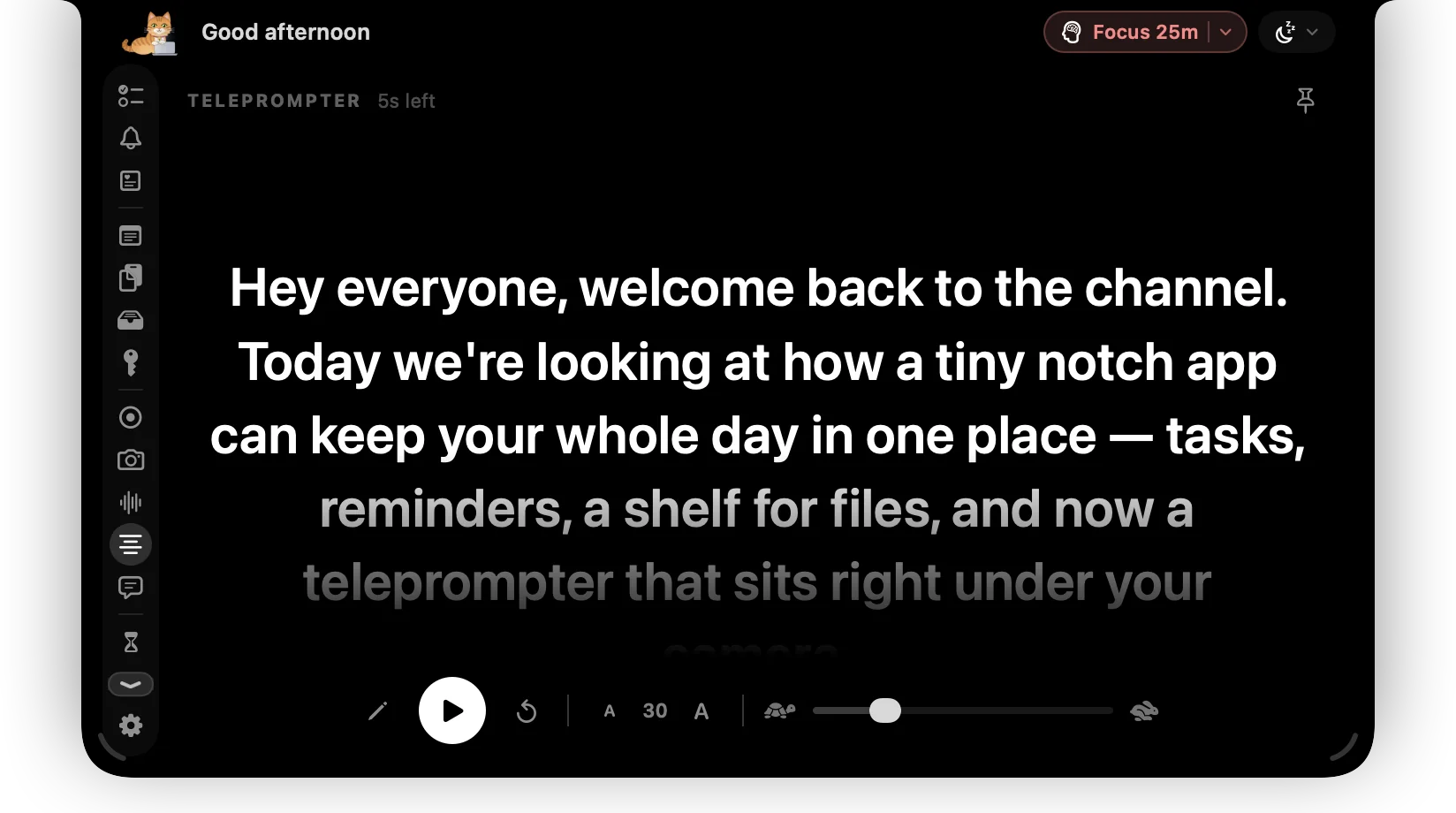
Your notes scroll right under the camera, so you never glance away mid-sentence. Set the speed and the text size, pause for a breath, and drag a corner to make it bigger. It never shows up in a screen share. Try it:
Hey everyone, welcome back. Today I want to show you something small that changed how I work. My script sits right under the camera, in the notch, so I can read it and still look you in the eye. I pick the speed, I pick the size, and if I need a second I just pause. That's it. Let's get into it.
Disk
Disk almost full? Hover the notch.
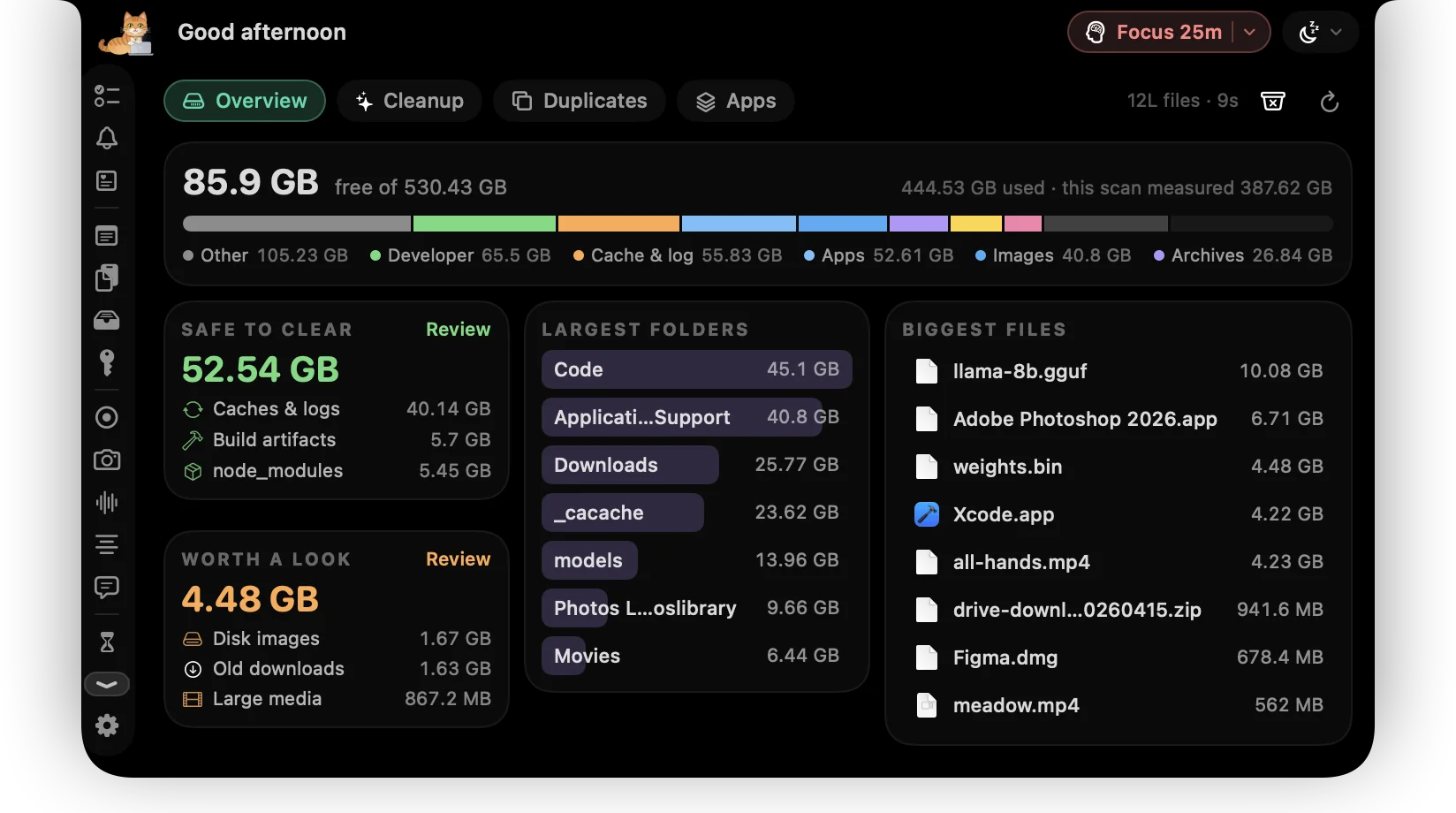
One scan shows the whole disk: what's safe to clear, what's worth a look, the largest folders and the biggest files. Then every app with everything it left behind. Nothing is removed until you say so, and then it goes to the Trash.
Overview
One scan, the whole drive on one screen.
How full the disk is and with what, next to the totals you can get back and the folders and files taking the most room. Click anything to open it in Finder.
- Seconds on most Macs, using every core
- Storage split into developer files, apps, media, documents and caches
- Largest folders and biggest files, ready to open
Cleanup
Found for you. Trashed only when you say so.
node_modules, build output, Xcode and app caches, grouped and totalled. Old downloads and disk images are listed but never ticked for you. Try it:
Safe to clear · apps rebuild these
66.6 GB free after
Everything goes to the Trash.
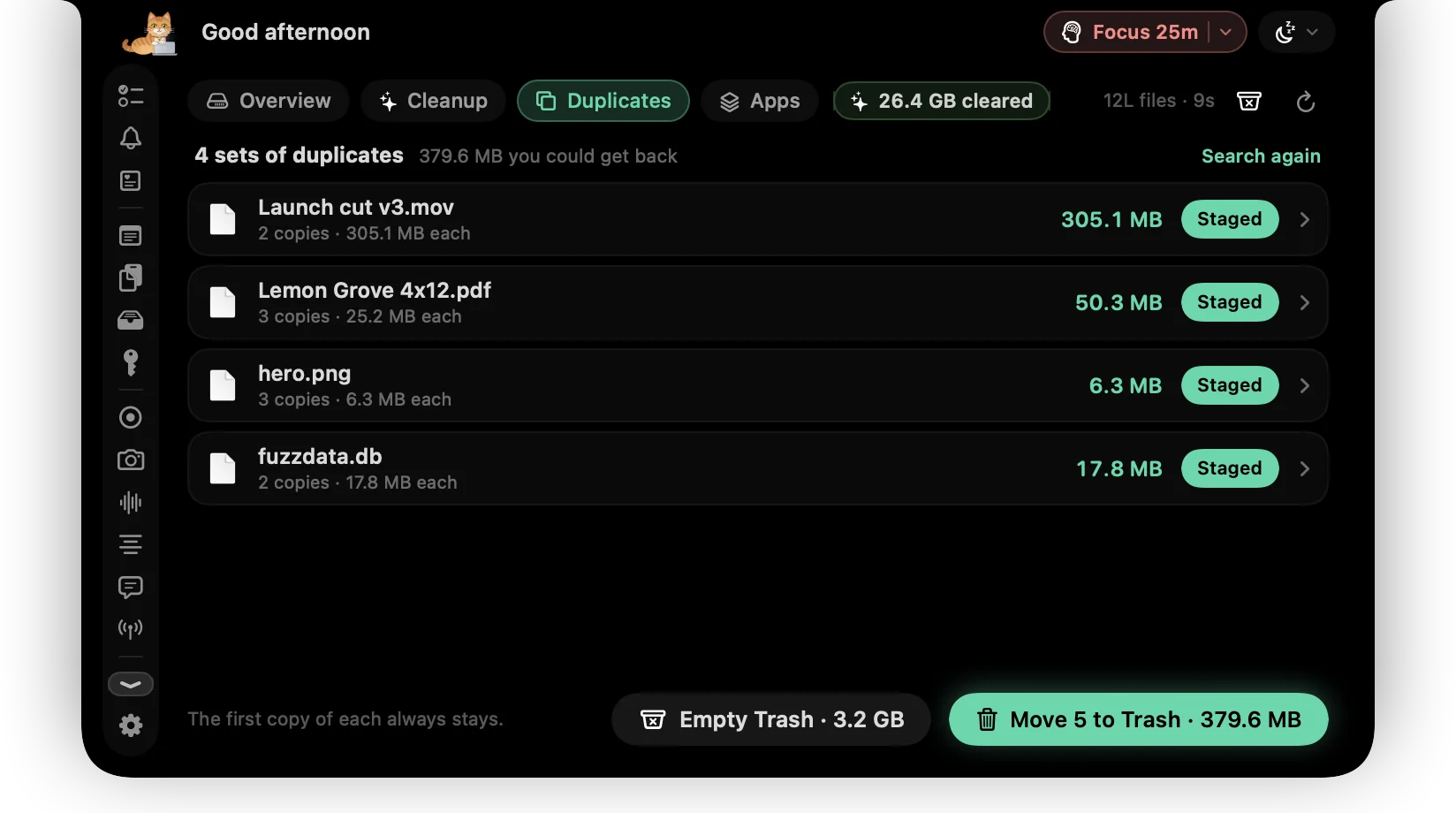
Duplicates
Files that exist twice, confirmed byte for byte.
Every match is a full SHA-256, never a guess from a name. Keep the first copy and stage the rest in one click. APFS clones share their storage, so they're spotted and left out of the total.
Applications
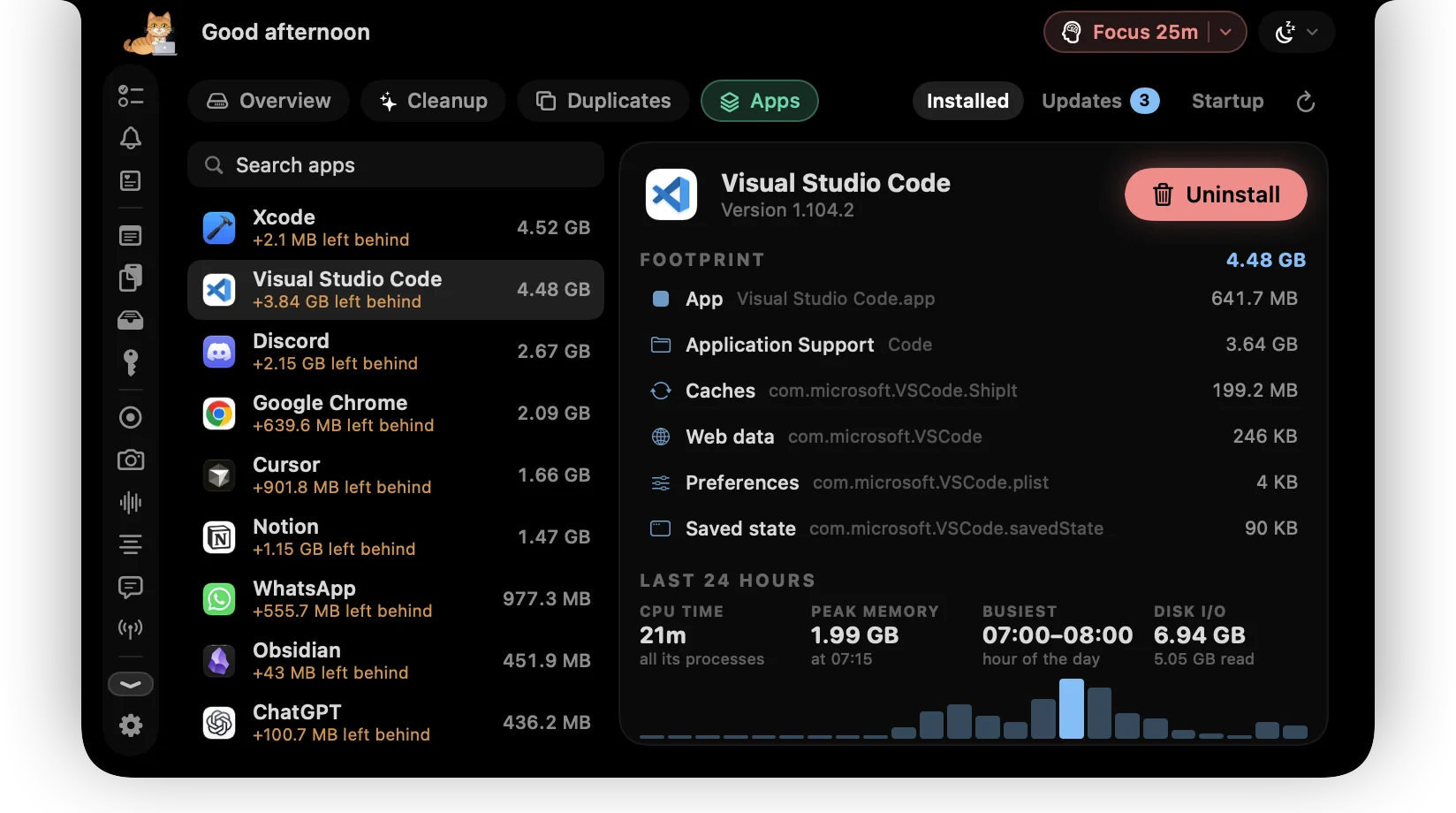
Every app, with its real footprint and its real habits.
The bundle plus every cache, container, preference and log it left behind, and a day of its CPU, memory and disk use, so you can see which app was busy at 3am.
- Uninstall completely: the app and everything it left, to the Trash
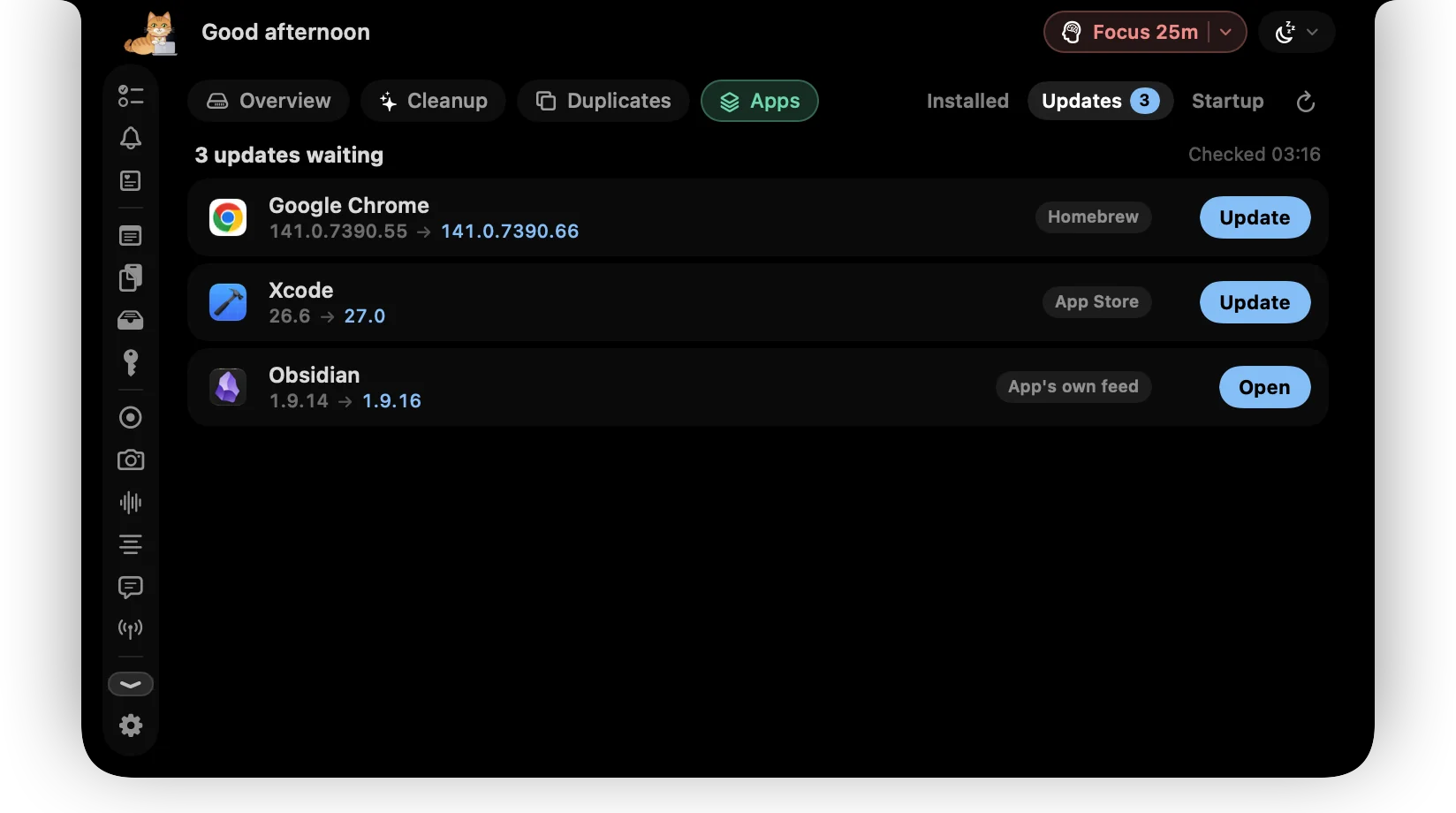
- Updates from Homebrew, the app's own feed or the App Store
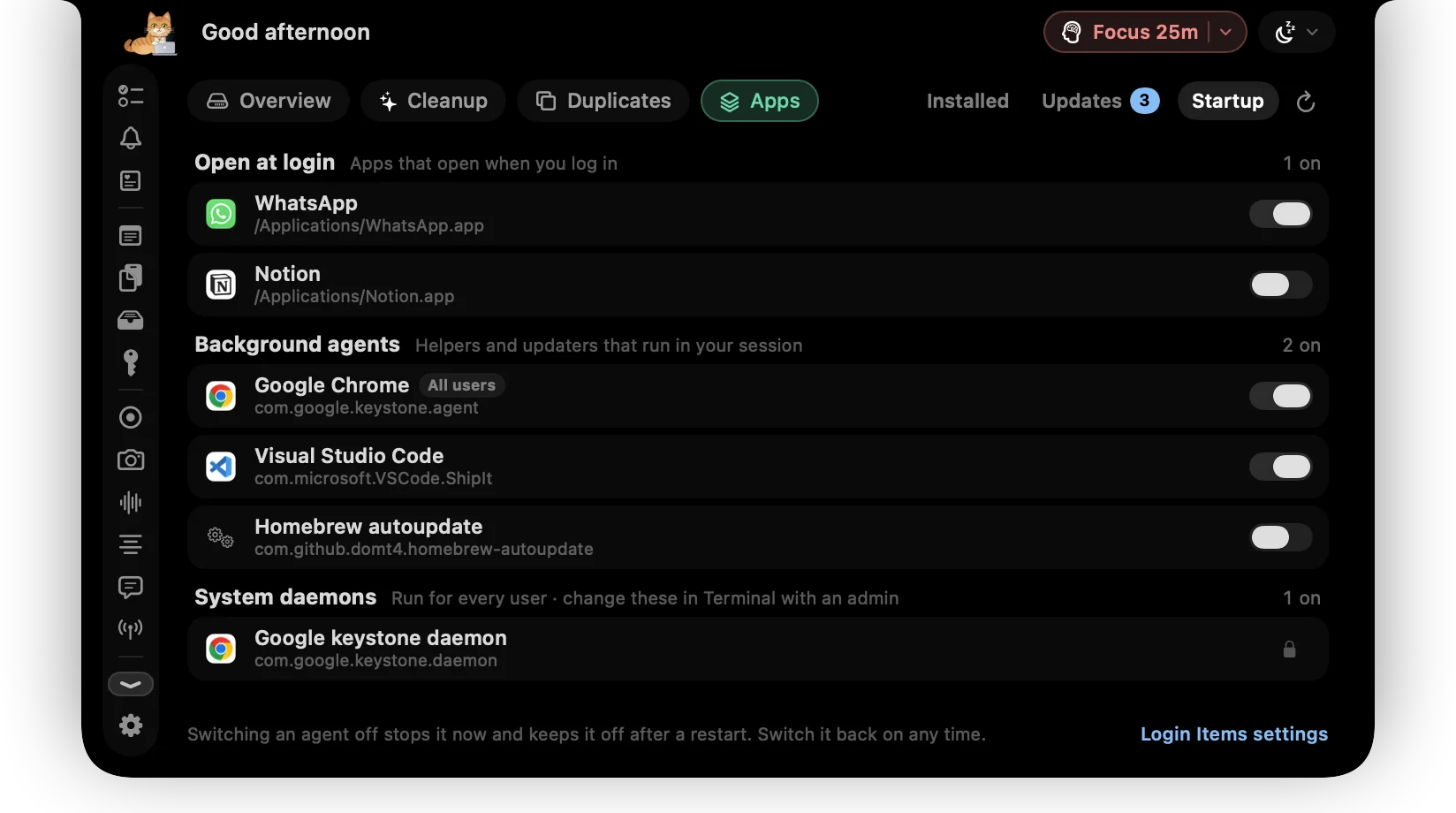
- Login items and background agents, each with a switch
Small touches, all day long.
Focus
Pomodoro, built in.
Start a focus session on your top task. ctrlhq tracks the time and calls the break.
Focus · 25m
Website redesign
Then a 5 minute break. Nook goes for a walk.
App Lock
Lock apps with Touch ID.
Messages, Photos, your bank. Locked apps stay hidden until you unlock them, and lock again once you leave.
Messages
Touch ID to open
Reminders
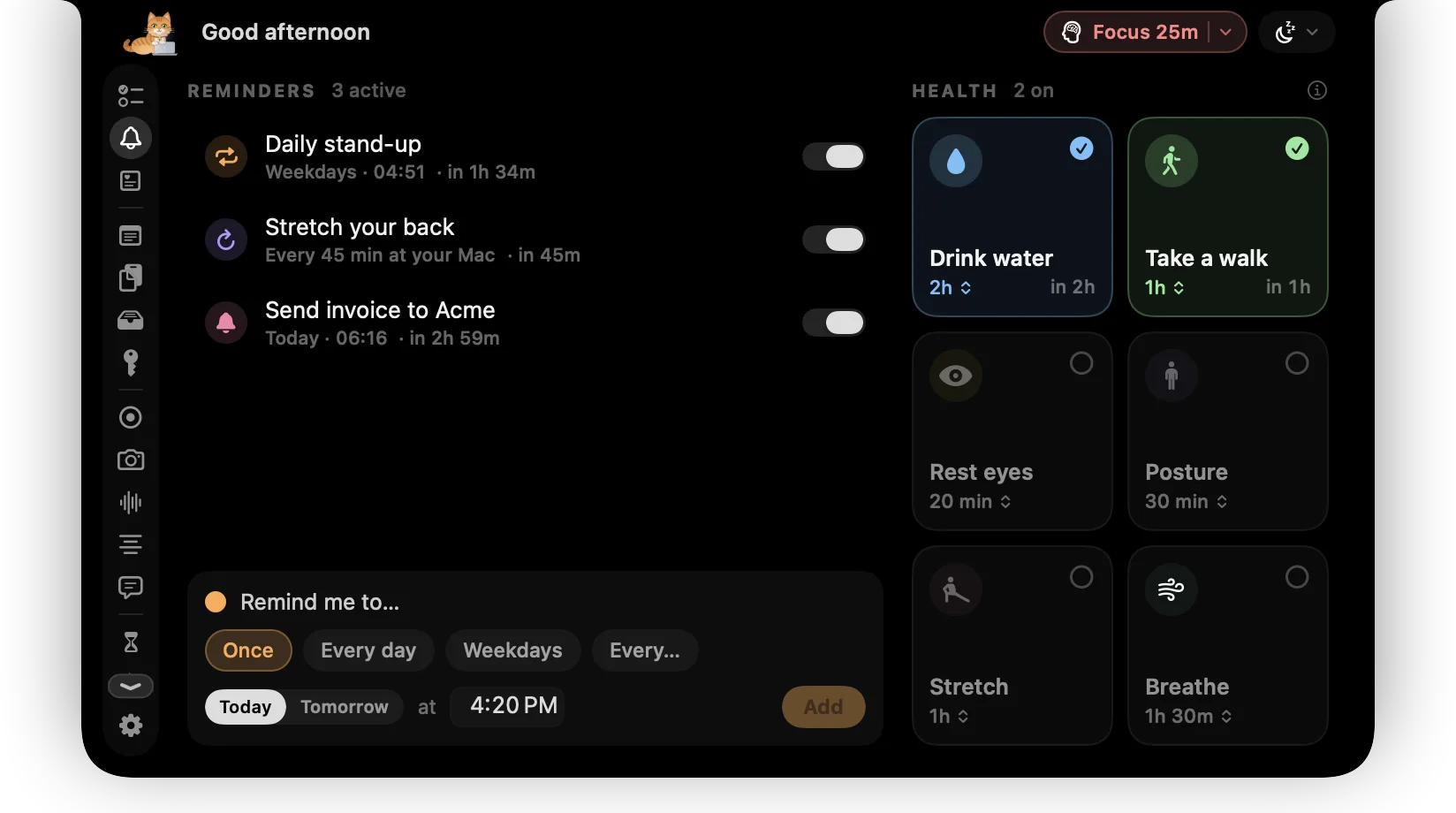
Water. Walk. Your own.
Health presets plus reminders you write yourself. ctrlhq only counts time you're at your Mac, so five minutes away counts as your walk.
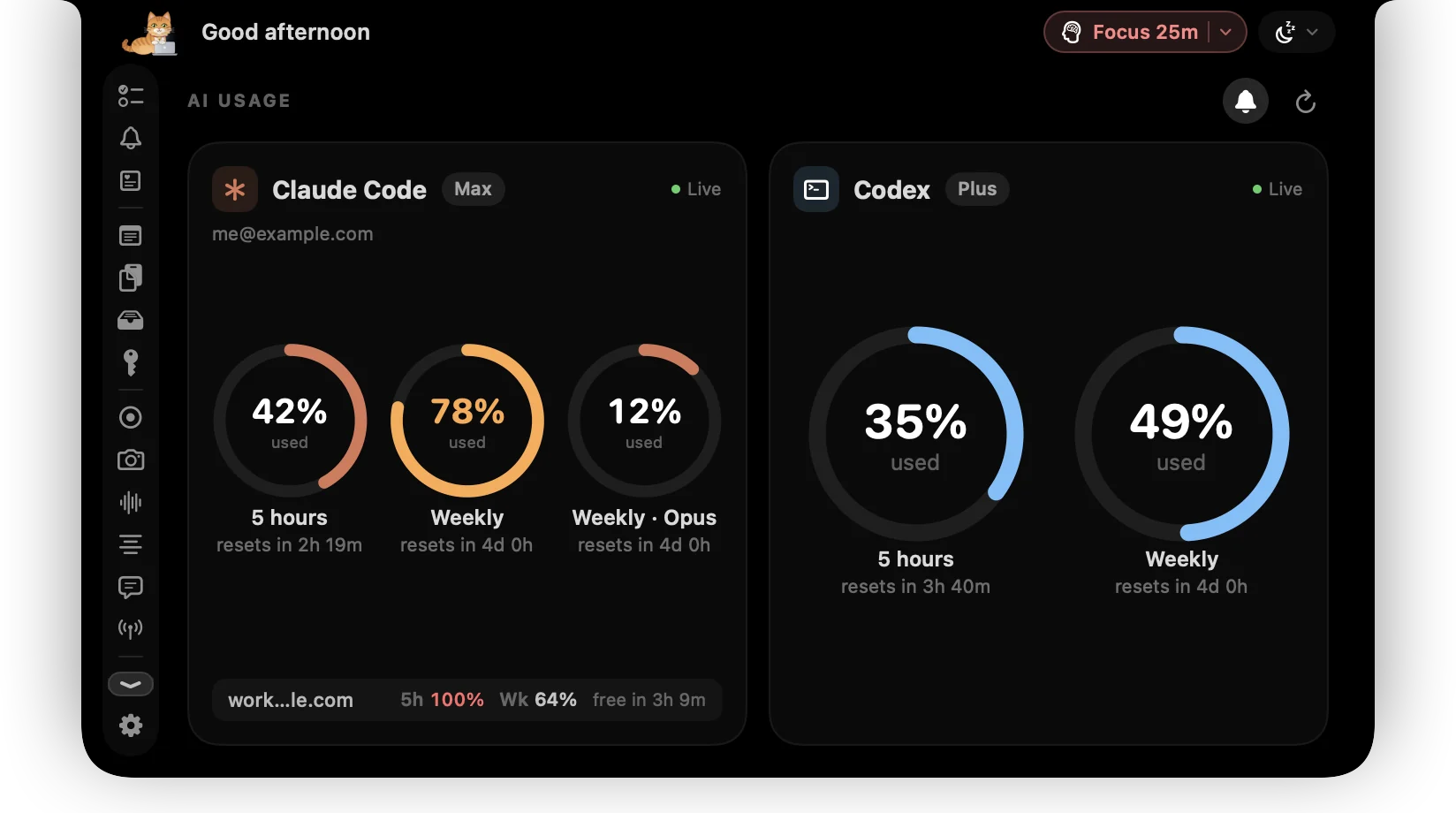
AI usage
Know before you hit the limit.
Claude Code and Codex, side by side: your 5-hour window, the weekly cap and when each resets. Every account you use, and a nudge in the notch when one frees up.
Claude CodeMax
resets in 2h 19m
resets in 4d 0h
work@studio.dev
CodexPlus
resets in 3h 41m
resets in 4d 1h
side@gmail.com
Keep awake
No more dozing Macs.
Keep your Mac awake through a long download or a talk. ⌃⌥K toggles it.
Batman hours
Working 1 to 5am?
ctrlhq notices, Nook puts on a mask, and it counts separately. No judgement.
Updates
Always the latest, quietly.
ctrlhq updates itself in the background with signed releases. Prefer to choose? Turn it off in Settings.
ctrlhq 0.1.0
Installs in the background · What's new
- Power tool ⌘⇧Space
- Timer ⌘⌥T
- Record screen ⌃⌥R
- Meeting notes ⌃⌥M
- Clipboard ⌘⇧V
- Keep awake ⌃⌥K
Image tools
Shrink it before you send it.
Drop an image on the shelf, then convert it to WebP, AVIF, HEIC, JPEG or PNG and watch the size change as you move the quality slider.
Telegram
Reach your Mac from your phone.
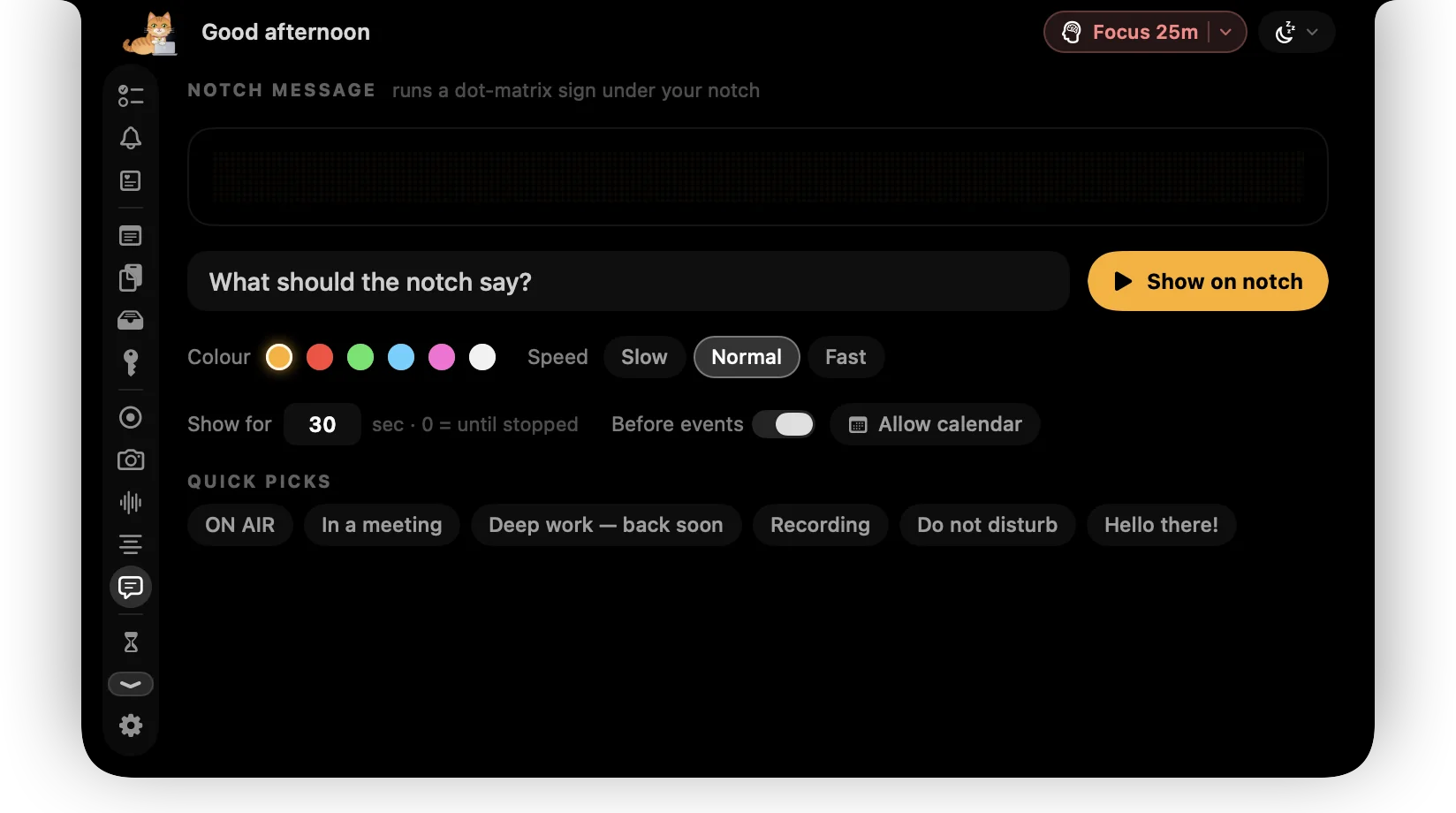
Connect a Telegram bot you make yourself. Add a task or put a message on the notch from anywhere — and if your Mac ever goes missing, ask it for a photo and where it is.
- /task adds to Today, with tags and priority
- /message scrolls your words under the notch
- /snap returns a photo and GPS location (IP fallback)
- Anti-theft is opt-in, armed only when you say, and never silent
Your bot, locked to your chat. The token stays in your Mac's Keychain, and nothing is sent unless you send the command.
📍 GPS: 38.7223, -9.1393 (±12m)
google.com/maps?q=38.72,-9.14
Network: NOS Comunicações
Backdrop
Rain, a fire, a café. Whatever helps you focus.
Mix ambient sounds to work to. They start with your task timer, drop down for music, pause for calls, and fade out when you're done. Nook joins in: an umbrella in the rain, a spot by the fire.
Built in and offline. The audio engine switches off completely when Backdrop is paused. Play or pause from anywhere with ⌃⌥B.
Rain + Fireplace · Nook puts up her umbrella
Affirmations
Kind words, right where you look.
Paste your own, one per line, or start from the packs. Every so often one appears under the notch, then fades. Edit the list:
5 in rotation · paste a whole list, one per line
Quick snap
Check your face. Light it up.
Your camera in the notch before a call, a shutter with a self-timer, and a ring light: bright white around the notch that lights your face. Try it:
Try the light, then snap.
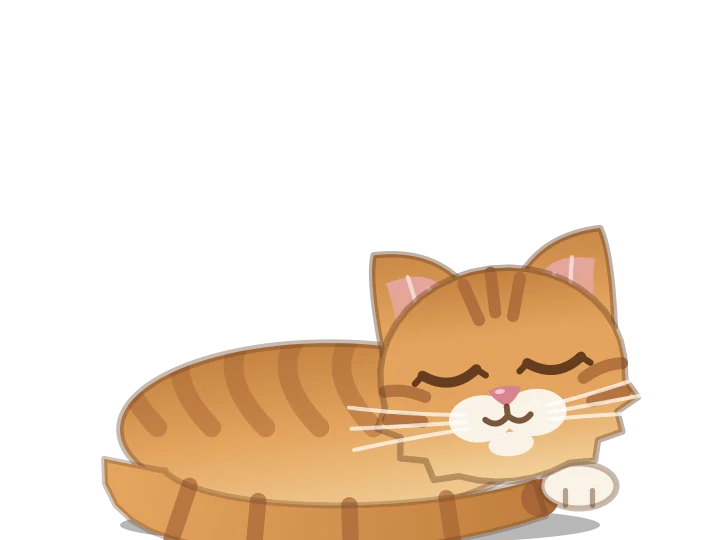
Meet Nook
A tiny coworker who lives by your notch.
Bring your cursor close and she wakes up to look.
Pricing
One price. No subscription.
A productivity app you pay for every month is one more thing to manage. Buy ctrlhq once and it's yours.
Launch price · one-time purchase
Save $30 · 61% off while it lasts
$49$19
Pay once, keep it forever. Goes up to $49 after launch.
- Unlimited tasks and tracked time
- Every feature, no tiers: recording, meeting notes, teleprompter and more
- Lifetime updates
- Use it on 1 Mac
- Offline. No account, no subscription
- Native and lightweight: about 12 MB
- Export to JSON or CSV any time
14-day money-back guaranteeAlready bought? Download
macOS 26 Tahoe or later · Apple silicon & Intel
Buying for someone? Gift itReplacing a cleaner, a recorder or a time tracker? See what ctrlhq replaces
Questions
Why put it in the notch?
Productivity apps fail the same way: after a week you stop opening them. ctrlhq is never closed or buried behind windows. Your next task and the running timer sit in the notch, and everything else opens when you hover it, so using it becomes a habit.
What if I forget to stop the timer?
ctrlhq notices when you step away. When you come back it asks whether to keep the idle time, remove it, or remove it and stop. You can also set it to stop the timer on its own after a set idle time.
Is there a mobile app or a web dashboard?
No, on purpose. ctrlhq tracks the work you do on your laptop, on your laptop. There's no account, no sync and no dashboard to log into.
Where is my data stored?
Tasks, time and settings live in one JSON file on your Mac. Export it as JSON or CSV whenever you like, for invoices, timesheets or your own spreadsheets. Screen recordings are saved to Movies › ctrlhq and meeting transcripts stay in ctrlhq's folder. ctrlhq never uploads any of it.
Are meeting notes really private?
Yes. Speech is transcribed with Apple's on-device speech engine, and summaries use Apple Intelligence on your Mac, so audio and transcripts never leave it. ctrlhq only offers to take notes; it never starts on its own, and nothing is recorded until you say so. ctrlhq also hides itself from screen sharing, so nobody on the call sees your transcript.
What permissions does ctrlhq need?
Only the ones for features you use, and onboarding walks you through them: Calendar for today's events, Microphone and Camera for recordings and meeting notes, Screen Recording to capture your screen and the other side of a call, and Automation to control Music or Spotify. Skip any of them; you can turn them on later in Settings.
How does AI usage work?
If Claude Code or the Codex CLI is installed, ctrlhq shows your plan limits: the 5-hour window, the weekly cap and when each resets. It reads the sign-in those tools already keep on your Mac (Claude Code's needs your OK in Keychain first) and asks Anthropic or OpenAI directly. Nothing goes through our servers, and ctrlhq never changes those sign-ins. If you switch between accounts, ctrlhq keeps each one's last limits on your Mac and can show a notch alert when a limit resets.
Is there a free trial?
No. Instead, every purchase comes with a 14-day money-back guarantee. Use ctrlhq for two weeks, and if it hasn't earned its place in your notch, email hello@ctrlhq.app for a full refund. No questions asked.
Is it really a one-time payment?
Yes. You pay $19 once and ctrlhq is yours. No subscription. Lifetime updates. $19 is the launch price; it goes up to $49 after launch, and buying now locks in every future update.
Will it slow my Mac down?
No. ctrlhq is a native Swift app, not a web page in a wrapper, and the download is about 12 MB. It's one app instead of the separate cleaner, clipboard manager, display tool, recorder and time tracker you'd otherwise keep running, and it has no background daemons or helper processes besides its updater.
How do updates work?
ctrlhq checks for updates once a day and can install them quietly in the background. Every update is signed, and you can turn automatic installs off in Settings.
Does it work without a notch?
Yes. On an external display or an older Mac, ctrlhq draws its own notch at the top of your main screen. It hides while an app is fullscreen.
How many Macs can I use it on?
One Mac at a time. To move ctrlhq to a new Mac, deactivate it in Settings on the old one, then enter your key on the new one. Lost or wiped the old Mac? Email hello@ctrlhq.app and we'll move it for you. Reinstalling on the same Mac doesn't use a seat.
What do I need to run it?
macOS 26 Tahoe or later, on Apple silicon or Intel.
Can I get a refund?
If ctrlhq isn't for you, email hello@ctrlhq.app within 14 days for a full refund.
About
It started as a timer.
ctrlhq wasn't planned as a toolbox. It grew into one, one alpha tester's request at a time.
01
A clock by the camera
I kept forgetting to start my time tracker, and every Friday I was guessing my hours. So I put the timer where I'd always see it: the notch. The first build was a task list and a clock.
02
Then the testers asked
Could it hold my clipboard? Somewhere to drop a file for a minute? Record my screen? Dim my external monitor? Every request had the same shape: a small tool they'd installed a separate app for, then forgotten about.
03
The notch fit them all
It's on screen in every app and every Space, and it stays out of the way until you hover it. So the tools people asked for moved in, and they actually get used.
How it grew
- Time tracker
- Shelf & clipboard
- Reminders & screen time
- Power tool
- Recording & meeting notes
- Disk cleanup
- Windows & monitors
What hasn't changed since that first build: it works offline, there's no account, your data stays on your Mac, and you pay once. And the cat was in version one. She's staying.

Stay on track. All day.
Hover the notch. That's the whole workflow.
14-day money-back guaranteeAlready bought? Download
Version 0.1.0 · Changelog