 ctrlhq
Idle detection
Walked away? ctrlhq asks what to do with the time.
No more phantom hours from a timer left running over lunch.
14-day money-back guaranteeAlready bought? Download
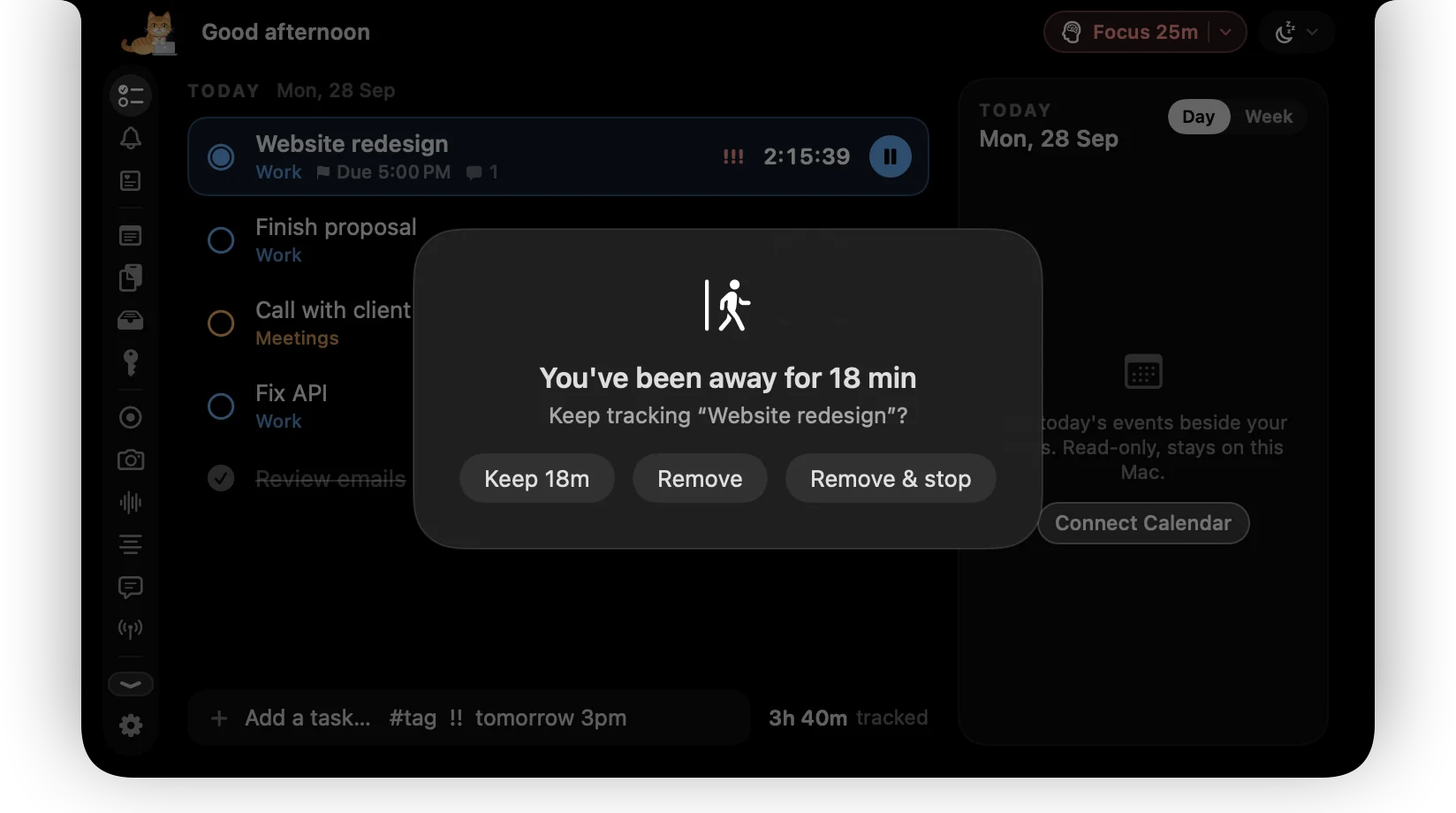
Every time tracker has the same failure mode: you leave a timer running, go to lunch, and your report says you spent three hours on an email.
ctrlhq watches for time away from your Mac. When you come back, it shows how long you were gone and lets you decide what that time was.
Try it
You've been away for 0 min
Keep tracking “Website redesign”?
What you get
Keep
You were on a call or thinking on paper. The time stays on the task.
Remove
The away time is taken off the task and the timer keeps running.
Remove and stop
You're done for now. The away time is removed and the timer stops.
Auto-stop
Prefer hands-off? ctrlhq can stop the timer by itself after 5 to 60 minutes idle.
Questions
How long before ctrlhq asks?
You choose: after 2, 5, 10, 15 or 30 minutes away, or never.
Does watching a video count as idle?
ctrlhq uses your Mac's own idle time, which is the time since your last keyboard or mouse input.
Also in the notch
All featuresTime tracking
Your tasks and the running timer live in the notch, so you never forget to start or stop.
Learn moreTime reports
By category and by task, for today, the last 7 or the last 30 days, with a timeline of your day.
Learn moreFocus timer
Start a focus session on your top task. ctrlhq tracks the time and calls the break.
Learn more

Idle detection, and everything else.
Every feature is in one app, for one price: $19 once, no subscription, and a full refund within 14 days if it isn't for you.
14-day money-back guaranteeAlready bought? Download
macOS 26 Tahoe or later · Apple silicon & Intel