 ctrlhq
For people who spend the day on calls
Meeting notes with no bot in the call. And nothing leaves your Mac.
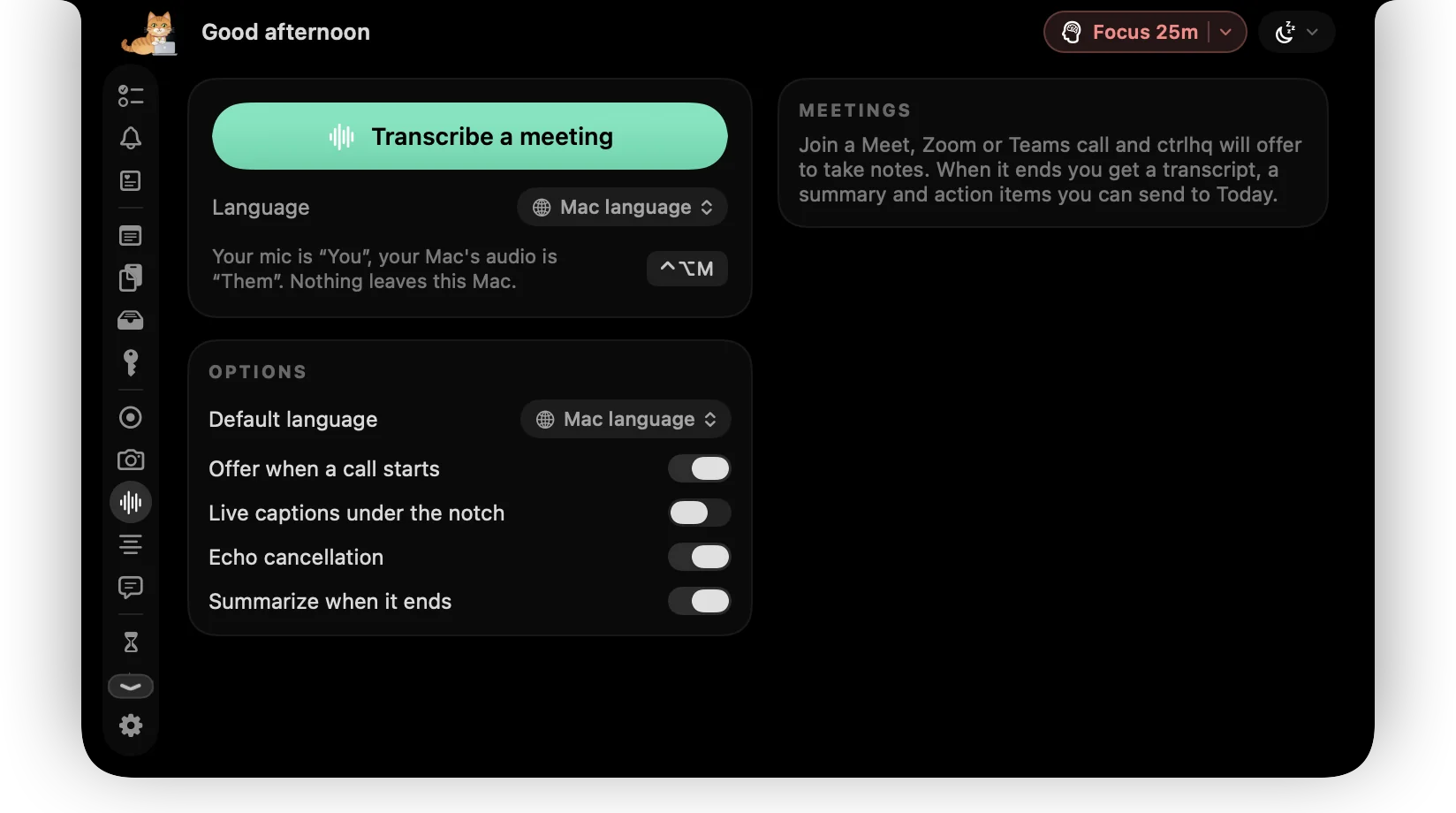
ctrlhq notices a call and offers to take notes, transcribed and summarised on-device. Share your screen without the apps you'd rather keep private, and keep your script under the camera.
One payment instead of a meeting notes subscription.
One-time purchase, lifetime updates
Already bought? Download
Sound familiar?
A bot joins your call
Everyone sees the notetaker arrive, the client asks who it is, and the recording goes to a server you've never looked at.
Your screen share shows too much
A message banner slides in mid-demo, or you tab past Slack and the whole call reads your channels.
You look down to read
Your talking points are in a window below the camera, so every time you check them you break eye contact.
Everything for the call, in one place
The notch sits right beside your camera. That turns out to be the best spot on the screen for call tools.
- Meeting notesTranscribed on your Mac for Zoom, Google Meet, Teams, Slack huddles, FaceTime and browser calls. Your mic and the call audio are labelled separately, with a summary and action items when the call ends.
- CloakingExperimentalPick the apps the call should never see. You still see them; everyone else gets your screen without them, along with notification banners and Dock badges.
- TeleprompterYour notes scroll right under the lens, so you keep eye contact. The script stays out of screen shares and recordings.
- Screen annotationDraw over any app, spotlight the pointer and zoom into small text while you present in Zoom, Meet or Keynote.
- Notch signA scrolling ON AIR or In a meeting sign under the notch for whoever walks past your desk.
- Quick snapCheck your camera from the notch before you join, and turn the screen into a ring light when the room is dim.
- DictationHold fn and say the follow-up email. It's typed, tidied, into whatever app you're in.
- App LockKeep Messages, Mail or your bank behind Touch ID on a Mac other people sometimes use.
Plus 36 more tools in the same app. See all 44
Try it
Notes that never leave the room
Nothing joins the meeting and no audio is uploaded. ctrlhq only offers to take notes, and nothing is recorded until you say so.
Action items
- Update the launch timeline Today
- Send the deck to Priya Today
What call tools usually cost
Bought separately, these come to $53 once plus $168 a year. ctrlhq is $24.99₹1,499 once.
- Granola AI meeting notes appFree
- Presentify screen annotation app$14 once, or with Setapp
- Moody notch teleprompter$39 once
ctrlhq keeps notes on your Mac. It doesn't share them with a team workspace, sync to a CRM or join calls you're not on.
Pay once. Updated for life.
Every tool on this page, and the rest of the app, for one payment.

Launch priceBlack Friday price · one-time purchase
Save $4.01 · 14% off while it lasts
Save ₹500 · 25% off while it lasts
Black Friday ends in
$29$24.99₹1,999₹1,499
One-time purchase Lifetime updates
Pay once, keep it forever, and get every future update free. Goes up to $29 after launchBlack Friday. Goes up to ₹1,999 after launchBlack Friday.
- Unlimited tasks and tracked time
- Every feature, no tiers: recording, meeting notes, teleprompter and more
- Lifetime updates
- Use it on 1 Mac
- Offline. No account, no subscription
- Native and lightweight: about 17 MB
- Export to JSON or CSV any time
Already bought? Download
macOS 15 Sequoia or later · Apple silicon & Intel
Buying for someone? Gift itQuestions
Does a bot join my meeting?
No. Nothing joins the call. ctrlhq listens on your Mac only, to your mic and the call audio.
Are the notes really private?
Yes. Speech is transcribed with Apple's on-device speech engine and summaries use Apple Intelligence on your Mac, so audio and transcripts never leave it. ctrlhq also hides itself from screen sharing, so nobody on the call sees your transcript.
Which call apps does it work with?
Zoom, Google Meet, Microsoft Teams, Slack huddles, FaceTime, Webex, Discord and calls in the browser.
What do I need to run meeting notes?
Dictation, voice commands and meeting notes need macOS 26 Tahoe; everything else runs on macOS 15 Sequoia or later.
How reliable is Cloaking?
Cloaking is marked experimental. It hides the apps you pick, notification banners, the Dock and its badges from Zoom, Meet and Teams screen shares. Try it on a test call before a meeting that matters.
Can I export a meeting?
Yes. Export any meeting as a Markdown file, and send its action items to today's tasks.
Is it a subscription?
You pay $24.99 once. There's no subscription, and every future update is included.

Take the call. Keep the notes to yourself.
$24.99₹1,499 once, no subscription. Black Friday ends in --d --h --m --s.
One-time purchase, lifetime updates
Already bought? Download
macOS 15 Sequoia or later · Apple silicon & Intel