 ctrlhq
Meeting notes
Meeting transcripts that stay on your Mac.
ctrlhq notices a call and offers to take notes. Transcribed on-device, with a summary and action items.
14-day money-back guaranteeAlready bought? Download
Shortcut ⌃⌥M
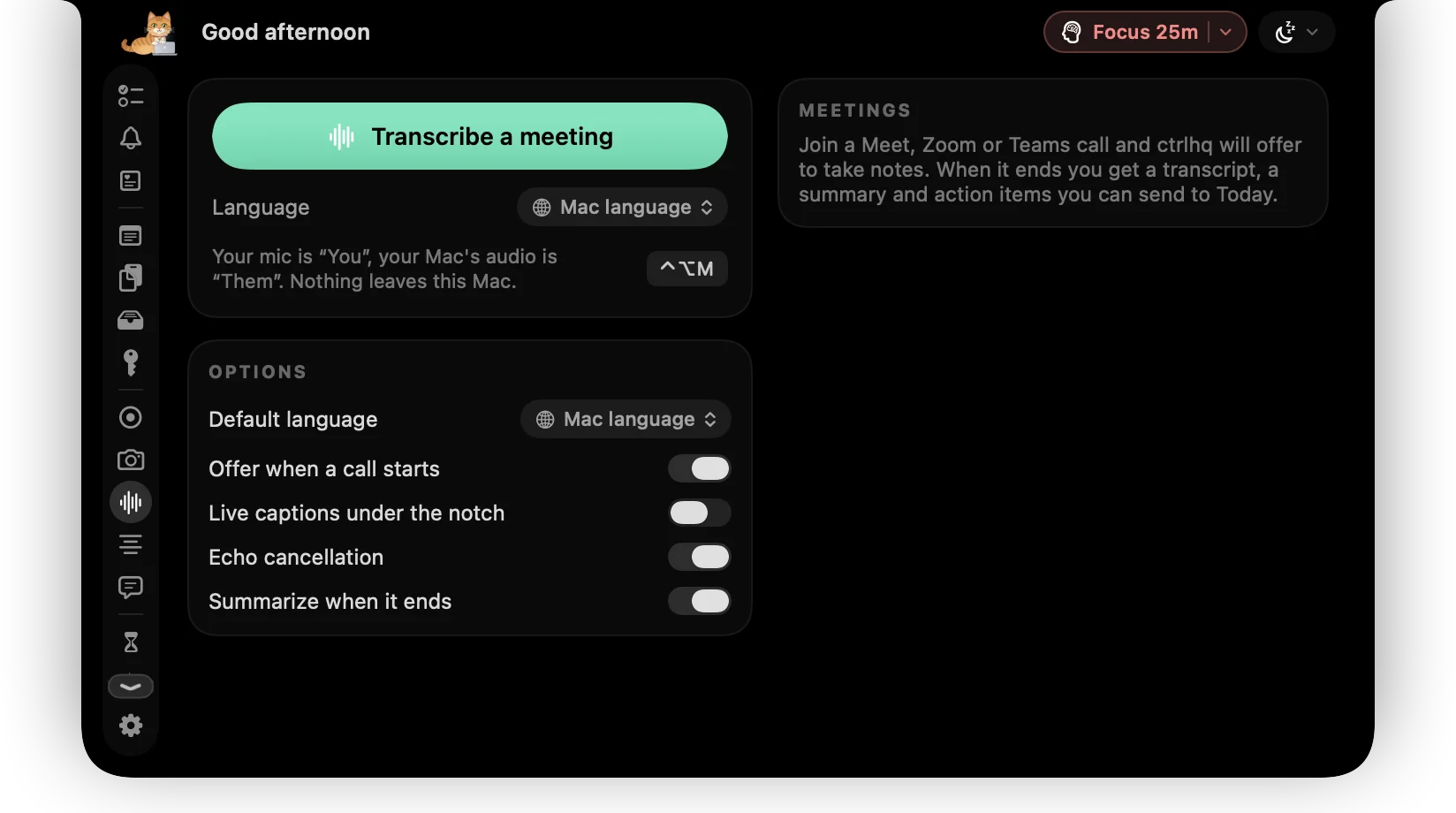
Meeting bots join your calls, record everyone and send it all to someone's cloud. That's a lot to ask for a list of action items.
ctrlhq notices when a call starts and offers to take notes. Speech is transcribed on your Mac, you and the other side are labelled, and when the call ends you get a summary and action items.
Try it
Action items
- Update the launch timeline Today
- Send the deck to Priya Today
What you get
No bot in the call
Nothing joins the meeting. ctrlhq listens on your Mac only.
Works with your call app
Zoom, Google Meet, Microsoft Teams, Slack huddles, FaceTime, Webex, Discord and calls in the browser.
You and them
Your mic and the call audio are labelled separately in the transcript.
Summary and action items
Generated on-device when the call ends. Send action items to Today as tasks.
Your language
Pick a default transcription language, or change it for one meeting. Mixed models handle calls that switch between languages, like Hindi and English.
Markdown export
Export any meeting as a Markdown file for your notes.
Hidden when you share
The live transcript stays on your screen but out of screen shares, recordings and screenshots.
Questions
Does audio leave my Mac?
No. Transcription and summaries run on-device.
Will people see the transcript if I share my screen?
No. ctrlhq hides itself from screen sharing, recordings and screenshots, so it's visible only to you. It's on by default; turn it off in Settings › General.
Which languages can it transcribe?
Every language Apple's on-device speech recognition supports on your Mac. If a language isn't installed yet, ctrlhq offers the one-time download from Apple. Audio still never leaves your Mac.
Should I tell people I'm transcribing?
Yes. Laws differ by place, and it's polite. Let others know before you start.
Also in the notch
All featuresScreen recording
Record a screen or one window with your face in a bubble, your mic and your Mac's audio.
Learn moreTeleprompter
Your notes scroll right under the camera, so you never glance away mid-sentence.
Learn moreTime tracking
Your tasks and the running timer live in the notch, so you never forget to start or stop.
Learn more

Meeting notes, and everything else.
Every feature is in one app, for one price: $19 once, no subscription, and a full refund within 14 days if it isn't for you.
14-day money-back guaranteeAlready bought? Download
macOS 26 Tahoe or later · Apple silicon & Intel