 ctrlhq
Time tracking
A time tracker that's always in view.
Your tasks and the running timer live in the notch, so you never forget to start or stop.
14-day money-back guaranteeAlready bought? Download
Shortcut ⌥⌘T
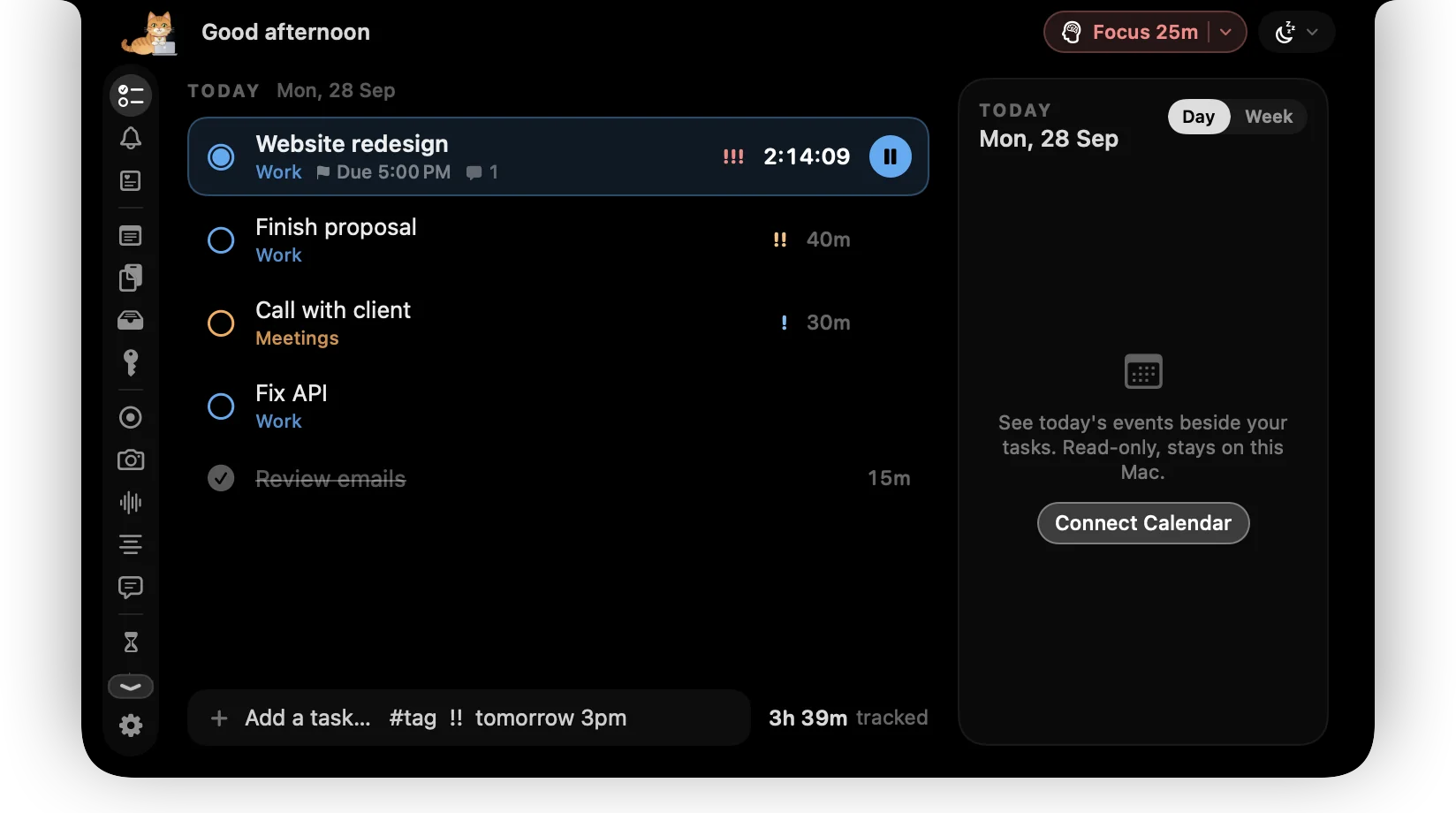
Most time trackers fail the same way: they end up behind a dozen windows, you forget to start them, and on Friday you're guessing your hours.
ctrlhq sits in your MacBook's notch instead. The running timer is always on screen, in every app and every Space. Hover the notch and today's tasks open; move away and they tuck back in.
What you get
One click to start
Click a task to start its timer and click again to stop. Switch tasks and the timer moves with you.
Always visible
The current task and elapsed time sit beside the notch all day, so a running timer is never a surprise.
Categories and priorities
Colour-coded categories, priorities and due dates keep the list readable when the day gets busy.
Plan ahead
Park tasks for tomorrow or later and they show up on the right day.
Offline, on your Mac
Everything is stored in one JSON file on your Mac. No account, no sync, no server.
Export any time
Send your tracked time to CSV or JSON for invoices, timesheets or your own spreadsheets.
How it works
- 1Hover the notch to open Today.
- 2Click a task to start tracking.
- 3Click it again, or press ⌥⌘T from any app, to stop.
Questions
Does it work on Macs without a notch?
Yes. On an external display or an older Mac, ctrlhq draws its own notch at the top of your main screen.
Can I track more than one task at once?
No, on purpose. One timer runs at a time, so your hours always add up.
Also in the notch
All featuresPower tool
⌘⇧Space from any app. Type a task, a sum, a file name, a reminder or an app, press Return, and you're back where you were.
Learn moreIdle detection
No more phantom hours from a timer left running over lunch.
Learn moreTime reports
By category and by task, for today, the last 7 or the last 30 days, with a timeline of your day.
Learn more

Time tracking, and everything else.
Every feature is in one app, for one price: $19 once, no subscription, and a full refund within 14 days if it isn't for you.
14-day money-back guaranteeAlready bought? Download
macOS 26 Tahoe or later · Apple silicon & Intel