 ctrlhq
Teleprompter
Read your script. Keep eye contact.
Your notes scroll right under the camera, so you never glance away mid-sentence.
14-day money-back guaranteeAlready bought? Download
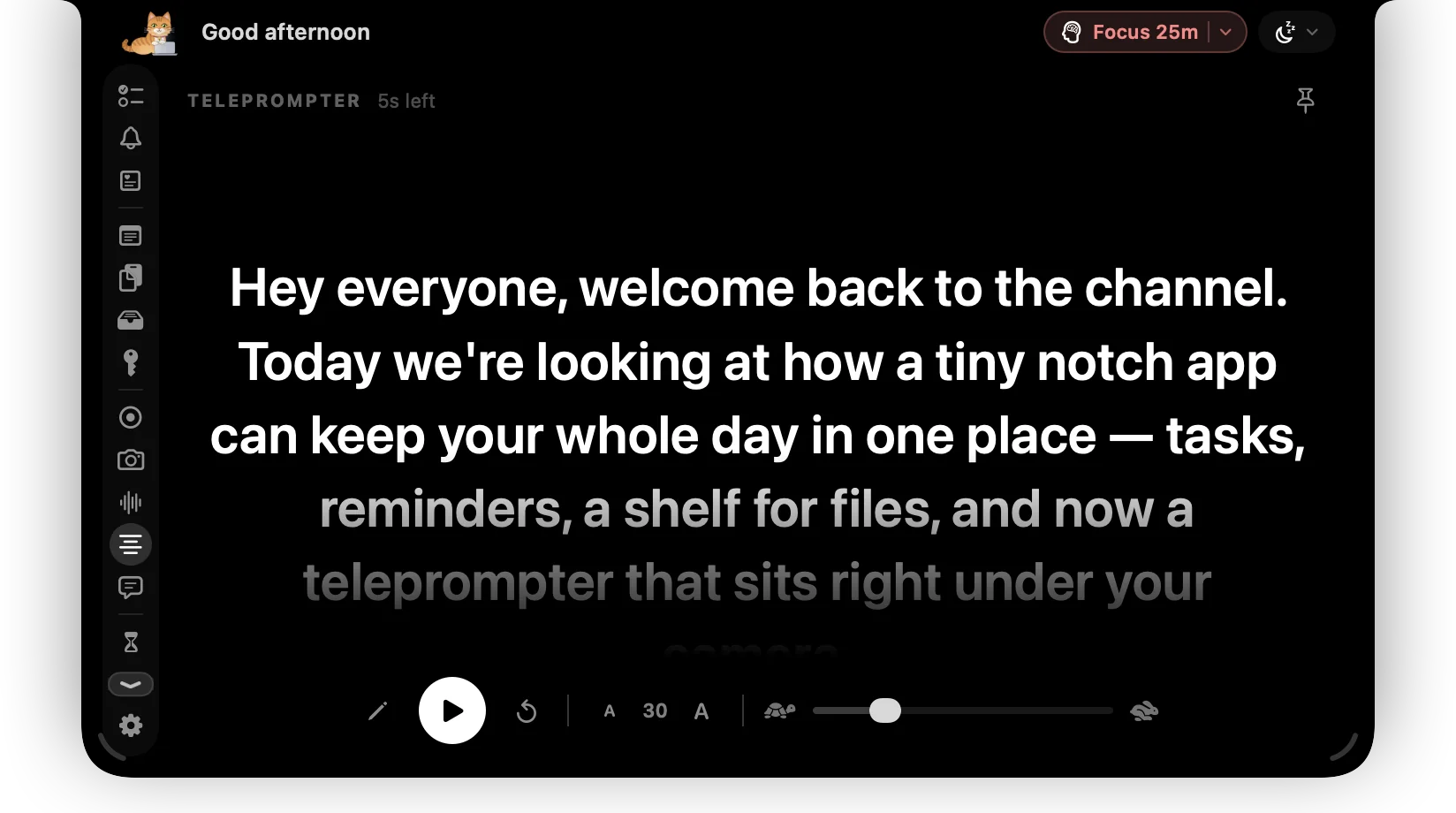
Reading notes from the side of your screen makes you look away from the camera, and everyone can tell.
ctrlhq scrolls your script right beneath the camera, so your eyes stay close to the lens while you read.
Try it
Hey everyone, welcome back. Today I want to show you something small that changed how I work. My script sits right under the camera, in the notch, so I can read it and still look you in the eye. I pick the speed, I pick the size, and if I need a second I just pause. That's it. Let's get into it.
What you get
Under the camera
Text sits right below the lens, so you look at the audience while you read.
Speed and size
Set how fast it scrolls and how big the text is.
Pause for a breath
Stop and start without losing your place.
Resize
Drag a corner to make the prompter bigger or smaller.
Hidden when you share
Your script stays on your screen but out of screen shares, recordings and screenshots.
Questions
Can people on the call see it?
No, not even when you share your whole screen. ctrlhq hides itself from screen sharing, recordings and screenshots. It's on by default; turn it off in Settings › General.
Also in the notch
All featuresScreen recording
Record a screen or one window with your face in a bubble, your mic and your Mac's audio.
Learn moreMeeting notes
ctrlhq notices a call and offers to take notes. Transcribed on-device, with a summary and action items.
Learn moreNotch sign
A scrolling dot-matrix sign under your notch. ON AIR, In a meeting, or anything you like.
Learn more

Teleprompter, and everything else.
Every feature is in one app, for one price: $19 once, no subscription, and a full refund within 14 days if it isn't for you.
14-day money-back guaranteeAlready bought? Download
macOS 26 Tahoe or later · Apple silicon & Intel