 ctrlhq
Clipboard history
Everything you copied, one shortcut away.
Searchable clipboard history for text and images. ⌘⇧V opens it in any app.
14-day money-back guaranteeAlready bought? Download
Shortcut ⌘⇧V
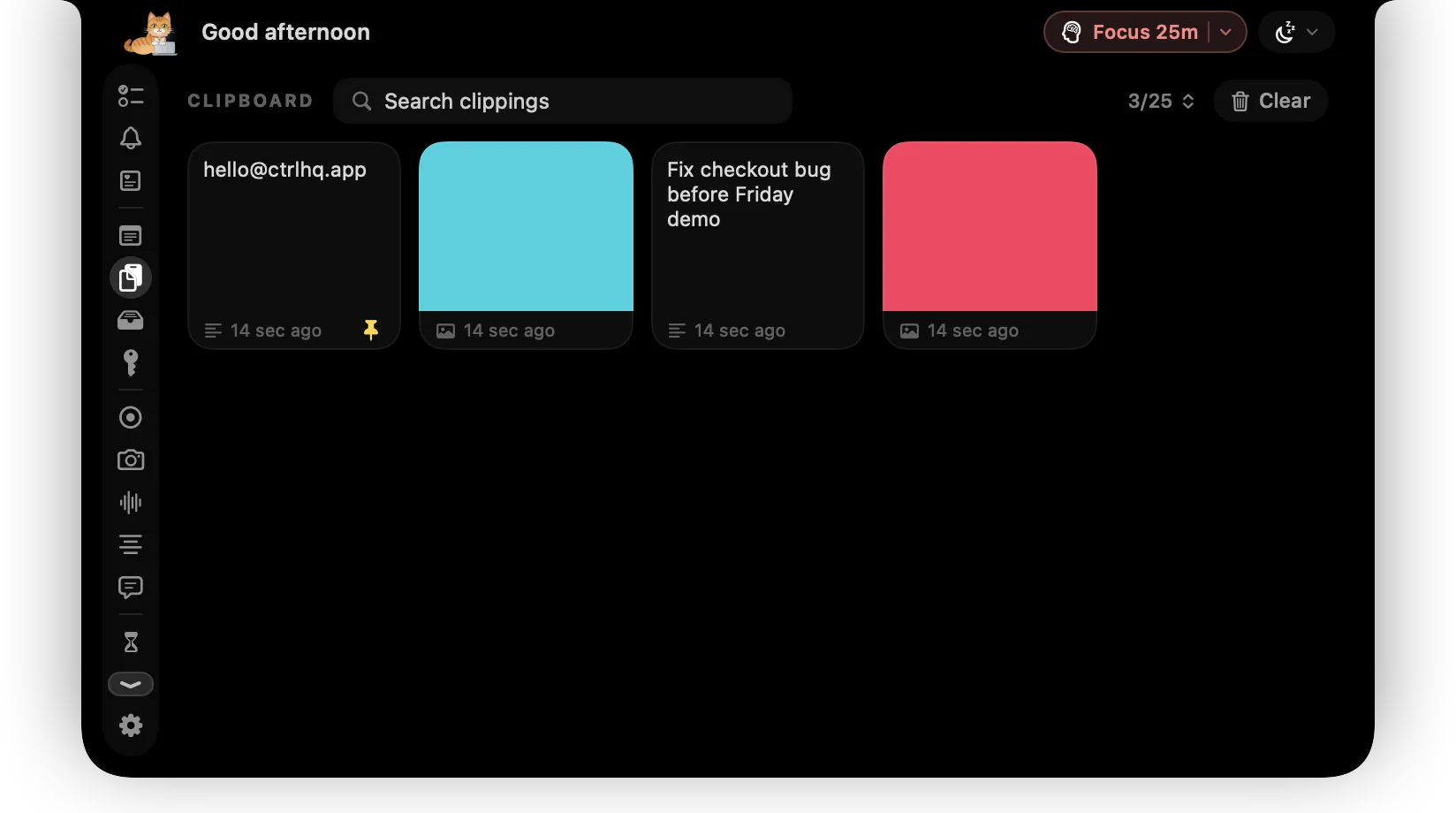
You copy something, copy something else, and the first thing is gone. Clipboard history fixes that.
ctrlhq keeps what you copy, text and images, and lets you search and paste it again from any app.
What you get
Text and images
Screenshots and copied images are kept alongside text.
Search
Type to filter your history and find that link from this morning.
Your limit
Keep the last 10, 25, 50 or 100 items.
Private
History stays on your Mac and never leaves it.
Questions
Can I clear the history?
Yes, from the Clipboard tab.
Also in the notch
All featuresFile shelf
Drop files on the notch to hold them. Drag them out later, or AirDrop them in one move.
Learn moreScratchpad
Rich-text notes that save as you type. For phone numbers, snippets and half-formed thoughts.
Learn moreKeyboard shortcuts
Global shortcuts for everything you do often. They work in any app and can all be rebound.
Learn more

Clipboard history, and everything else.
Every feature is in one app, for one price: $19 once, no subscription, and a full refund within 14 days if it isn't for you.
14-day money-back guaranteeAlready bought? Download
macOS 26 Tahoe or later · Apple silicon & Intel