 ctrlhq
File shelf
Park files in your notch.
Drop files on the notch to hold them. Drag them out later, or AirDrop them in one move.
14-day money-back guaranteeAlready bought? Download
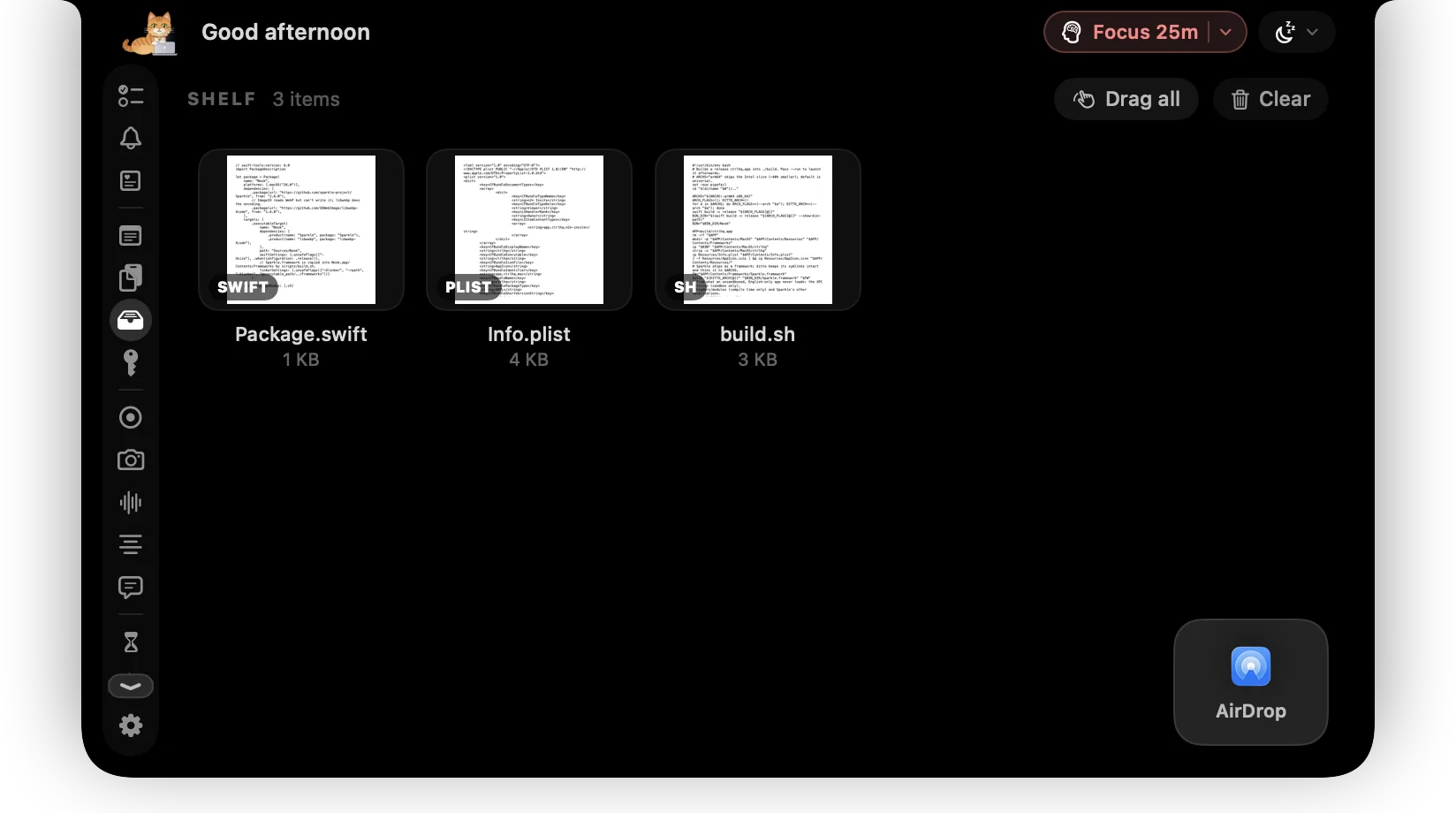
Moving a file between apps usually means arranging windows or digging through Downloads. ctrlhq gives you a shelf at the top of the screen.
Drag files onto the notch to park them there. When you're ready, drag them out into any app, or send them with AirDrop.
What you get
Drop to park
Drag files onto the notch from Finder or any app.
Drag out anywhere
Drop them into Mail, Slack, a browser upload or another folder.
AirDrop
Send shelf items to a nearby device in one move.
Image tools
Convert and compress images right on the shelf.
Questions
Do screen recordings go on the shelf?
Yes. Every new recording lands on the shelf, ready to drag into Slack, Mail or anywhere else.
Also in the notch
All featuresImage converter
Convert to WebP, AVIF, HEIC, JPEG, PNG or TIFF and watch the file size change as you move the slider.
Learn moreClipboard history
Searchable clipboard history for text and images. ⌘⇧V opens it in any app.
Learn moreScreen recording
Record a screen or one window with your face in a bubble, your mic and your Mac's audio.
Learn more

File shelf, and everything else.
Every feature is in one app, for one price: $19 once, no subscription, and a full refund within 14 days if it isn't for you.
14-day money-back guaranteeAlready bought? Download
macOS 26 Tahoe or later · Apple silicon & Intel