 ctrlhq
App uninstaller
Every app, with its real footprint and its real habits.
Uninstall an app and everything it left behind, see what it did all day, update it, and stop it starting at login.
14-day money-back guaranteeAlready bought? Download
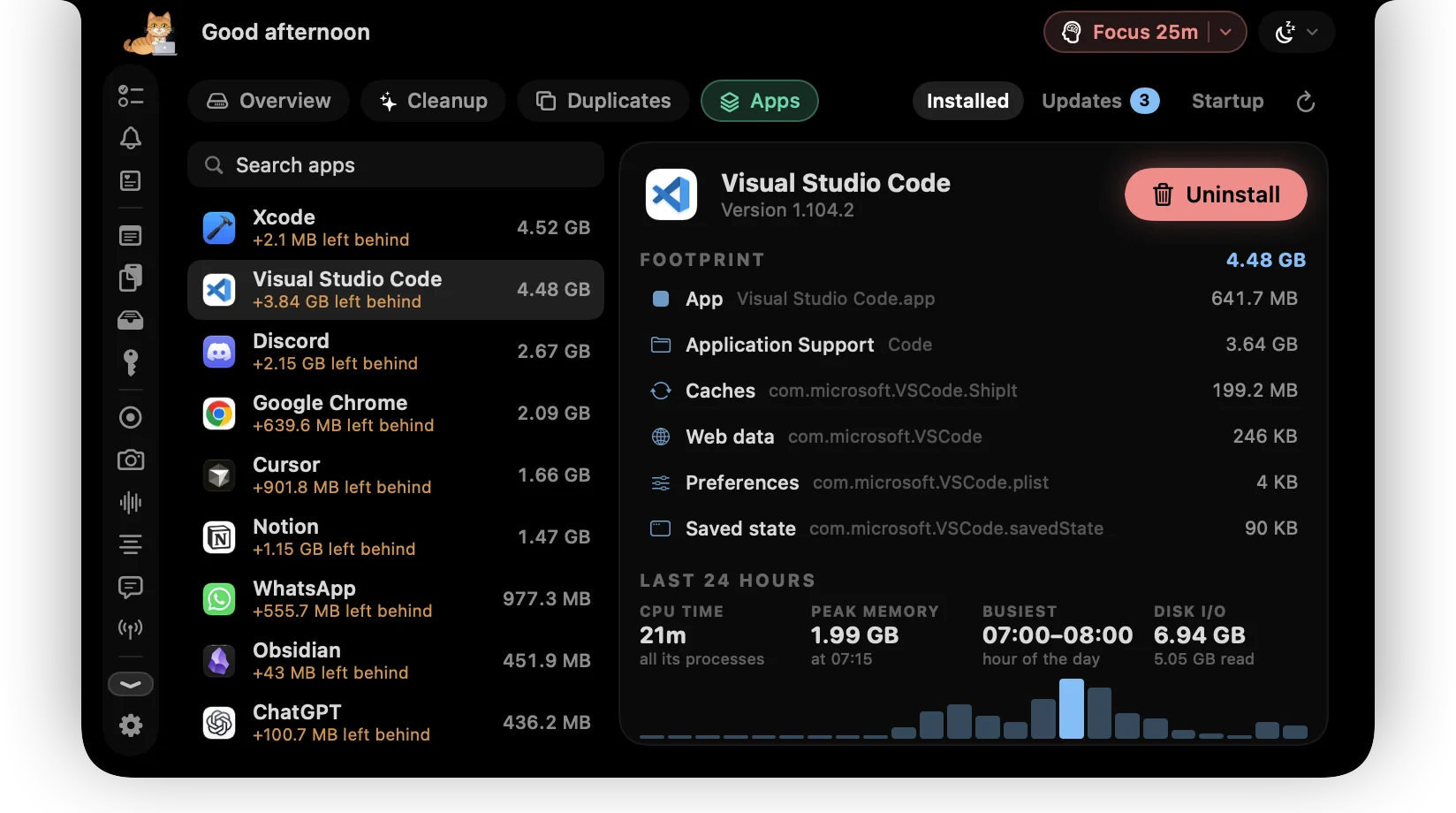
Dragging an app to the Trash leaves most of it behind: caches, containers, preferences and logs in your Library, sometimes gigabytes of them. Background agents keep running for apps you deleted months ago.
ctrlhq lists every app with its whole footprint, the bundle plus everything it left in ~/Library. Uninstall Completely quits the app, stops its agents and moves the lot to the Trash. Two more views show the apps with updates waiting and everything that starts when you log in.
What you get
The whole footprint
The app bundle plus Application Support, caches, containers, preferences, saved state, logs, web data and launch agents, found by the app's bundle ID.
Uninstall completely
Quits the app, unloads its launch agents, then moves the app and every leftover to the Trash in one go.
A day of activity
CPU time, peak memory, the busiest hour and disk reads and writes over the last 24 hours, counting every helper process the app runs.
Updates waiting
Homebrew casks, each app's own Sparkle feed, and the App Store for apps that came from it. Update in one click or jump to the right place.
Startup, switched
Login items and background agents, each with a switch. Turning an agent off stops it now and keeps it off after a restart.
Part of macOS stays
Safari and the other apps that ship with macOS are marked and can't be removed.
How it works
- 1Open Disk in the notch and choose Apps.
- 2Pick an app to see its footprint and its last 24 hours.
- 3Press Uninstall, check what will go, and confirm.
Questions
Is anything deleted for good?
No. The app and its leftovers go to the Trash, so you can put them back.
How does ctrlhq know what an app has been doing?
Once a minute it reads the CPU, memory and disk counters macOS keeps for every process and adds up each app's share. The last day is kept on your Mac, and nothing is sent anywhere.
What does checking for updates send?
Apps from the App Store are looked up by their bundle ID. Apps with their own update feed are checked against that feed. Homebrew runs locally. Nothing else about your Mac is sent.
Also in the notch
All featuresDisk cleanup
One scan shows what's safe to clear, what's worth a look, and the biggest files and folders on your Mac.
Learn moreDuplicate finder
Every match is a full SHA-256, never a guess from a name. Keep the first copy and stage the rest in one click.
Learn moreScreen time
App usage for today and the last 7 days, plus your battery's health.
Learn more

App uninstaller, and everything else.
Every feature is in one app, for one price: $19 once, no subscription, and a full refund within 14 days if it isn't for you.
14-day money-back guaranteeAlready bought? Download
macOS 26 Tahoe or later · Apple silicon & Intel