 ctrlhq
Disk cleanup
Find what's filling your disk. Trash it only when you say so.
One scan shows what's safe to clear, what's worth a look, and the biggest files and folders on your Mac.
14-day money-back guaranteeAlready bought? Download
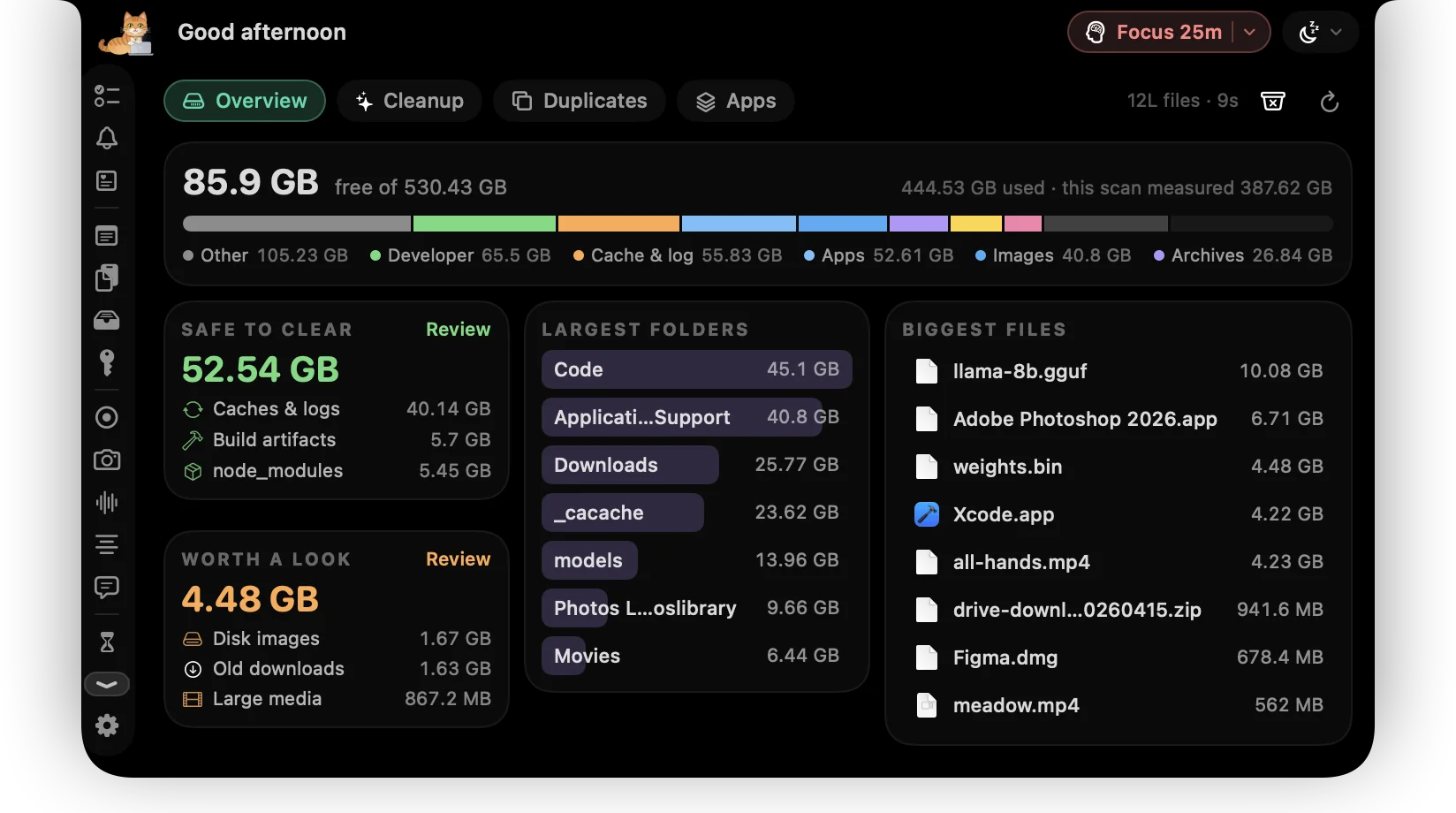
"Your disk is almost full" usually arrives in the middle of something. Then you spend twenty minutes in Finder sorting folders by size.
ctrlhq scans your home folder and Applications in one go. It totals the space apps can rebuild on their own, lists the real files worth a second look, and shows the largest folders and files. Tick what to clear and press Clean. Everything goes to the Trash, so nothing is gone until you empty it.
Try it
Safe to clear · apps rebuild these
66.6 GB free after
Everything goes to the Trash.
What you get
Safe to clear
node_modules, build output (target, dist, .next, __pycache__…), Xcode DerivedData and simulator caches, Android and Gradle caches, and app caches and logs. Apps rebuild all of it when they need it.
Worth a look
Disk images, video and audio over 100 MB, downloads you haven't opened in 90 days and files nobody has touched in a year. They're real files, so ctrlhq lists them and never ticks them for you.
Only real build folders
A folder called build or target only counts when the project file is right beside it (package.json, Cargo.toml, Package.swift and so on).
Largest folders and files
See where the space is going. Click any row to show it in Finder.
Storage by kind
Developer files, apps, images, video, documents, archives and caches in one bar, next to what's free.
Always the Trash, always asked
Nothing moves until you confirm, and then it goes to the Trash, so you can drag it straight back out. When you're sure, empty the Trash from ctrlhq too.
How it works
- 1Open the Disk tab in the notch and press Scan.
- 2Review Safe to clear and Worth a look, and open a group to see every item.
- 3Tick what you don't need and press Clean.
Questions
How long does a scan take?
Seconds for most Macs. ctrlhq walks your folders on every core at once. A developer's home folder with millions of files takes under a minute.
Does it need Full Disk Access?
No. Without it, ctrlhq skips other apps' private containers so macOS doesn't ask you about them. With it, those are included too.
Is anything uploaded?
No. The scan runs on your Mac and the results never leave it.
Also in the notch
All featuresDuplicate finder
Every match is a full SHA-256, never a guess from a name. Keep the first copy and stage the rest in one click.
Learn moreApp uninstaller
Uninstall an app and everything it left behind, see what it did all day, update it, and stop it starting at login.
Learn moreScreen time
App usage for today and the last 7 days, plus your battery's health.
Learn more

Disk cleanup, and everything else.
Every feature is in one app, for one price: $19 once, no subscription, and a full refund within 14 days if it isn't for you.
14-day money-back guaranteeAlready bought? Download
macOS 26 Tahoe or later · Apple silicon & Intel