 ctrlhq
Reminders
Water. Walk. Your own reminders.
Health presets and reminders you write yourself, counted in time you're actually at your Mac.
14-day money-back guaranteeAlready bought? Download
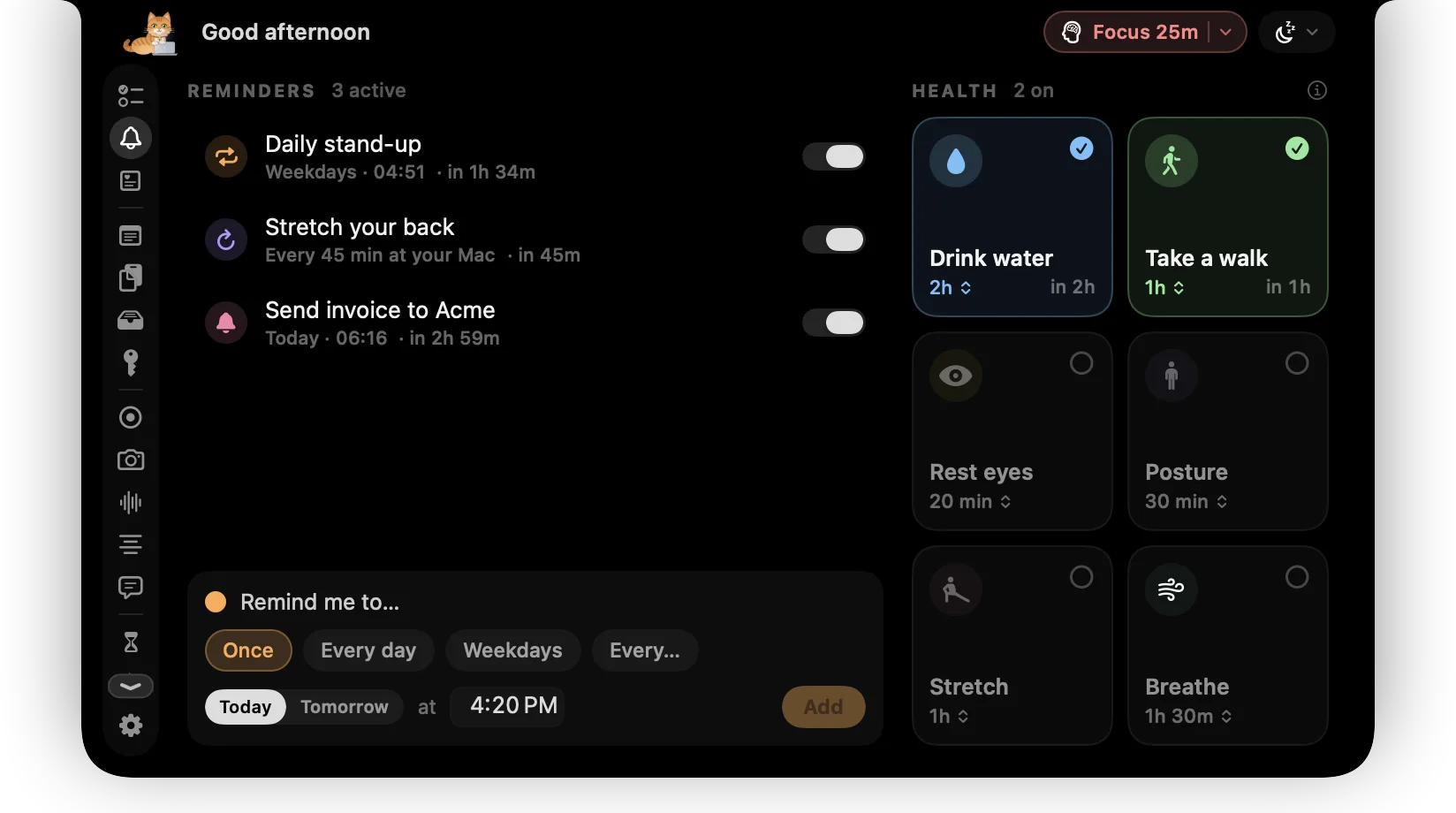
Long days at a laptop are rough on your body. ctrlhq nudges you to drink, move and look away from the screen, without a separate app or a phone buzzing.
Health reminders count active time at your Mac, so if you've just been away for five minutes, that already counts as your walk.
Try it
What you get
Health presets
Water, a short walk, resting your eyes with the 20-20-20 rule, posture, stretching and breathing.
Your own
Once at a set time, daily, on weekdays, or every so many minutes at your Mac.
Counts real screen time
Time away from your Mac counts toward the break, so you're not nagged right after one.
In the notch, not in your face
Reminders appear as a banner under the notch. Mark done or snooze in one click.
Questions
Do reminders use notifications?
No. They show in the notch, so they never pile up in Notification Center.
Also in the notch
All featuresFocus timer
Start a focus session on your top task. ctrlhq tracks the time and calls the break.
Learn moreScreen time
App usage for today and the last 7 days, plus your battery's health.
Learn moreNotch sign
A scrolling dot-matrix sign under your notch. ON AIR, In a meeting, or anything you like.
Learn more

Reminders, and everything else.
Every feature is in one app, for one price: $19 once, no subscription, and a full refund within 14 days if it isn't for you.
14-day money-back guaranteeAlready bought? Download
macOS 26 Tahoe or later · Apple silicon & Intel