 ctrlhq
Productivity in your MacBook notch
Give your Mac a super notch. Hover once, get everything.
A notch that tells you what to do next, keeps time for you, holds your stuff and gets out of the way. Here's a normal day with it.
One-time purchase, lifetime updates
Already bought? Download
Hover once
Collapsed: your task and timer. Hovered: the whole toolbox.
- 31
- tools in the notch
- 1
- app to install
- ~12 MB
- native download
- $24.99
- once, no subscription
A super notch isn't a gimmick on top of your workflow. It's what sits in the one spot you can always see and quietly keeps you moving: what you're working on, how long you've been at it, and the tools you'd otherwise dig for.
Here's what that looks like from the first coffee to the last meeting.
Superpowers you'll use every day
The best part of a super notch is how little you have to do. These work in the background or one hover away.
It remembers to start and stop
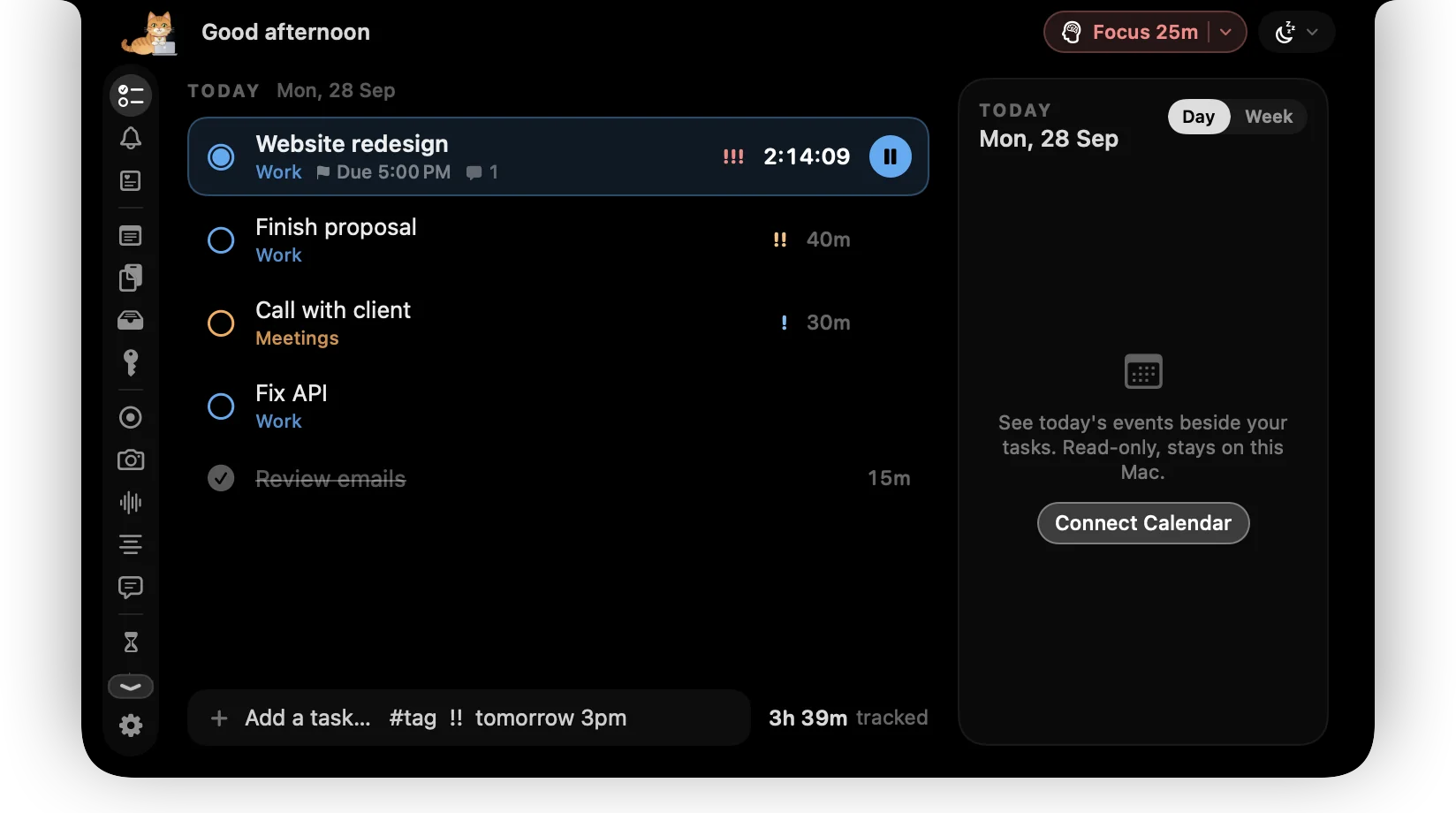
The timer is always on screen. When you step away it asks whether to keep, remove or stop the idle time.
It keeps you in flow
Pomodoro focus sessions track your top task and call the break, with ambient sounds that follow your timer.
It holds what you copy
Clipboard history and a file shelf sit in the notch, so the thing you copied ten minutes ago is still there.
It nudges you to look after yourself
Health and custom reminders, affirmations and one-minute brain games replace the doom-scroll.
A day with a super notch
- 9:00Time tracking
Pick the first task
Click a task in the notch and its timer starts. It stays visible in every app.
- 10:30Focus timer
Stay in the zone
Start a focus session. Rain on the roof plays and pauses itself when a call comes in.
- 13:00Idle detection
Step away for lunch
ctrlhq notices you left and asks what to do with the idle time when you're back.
- 15:00Meeting notes
Take the call
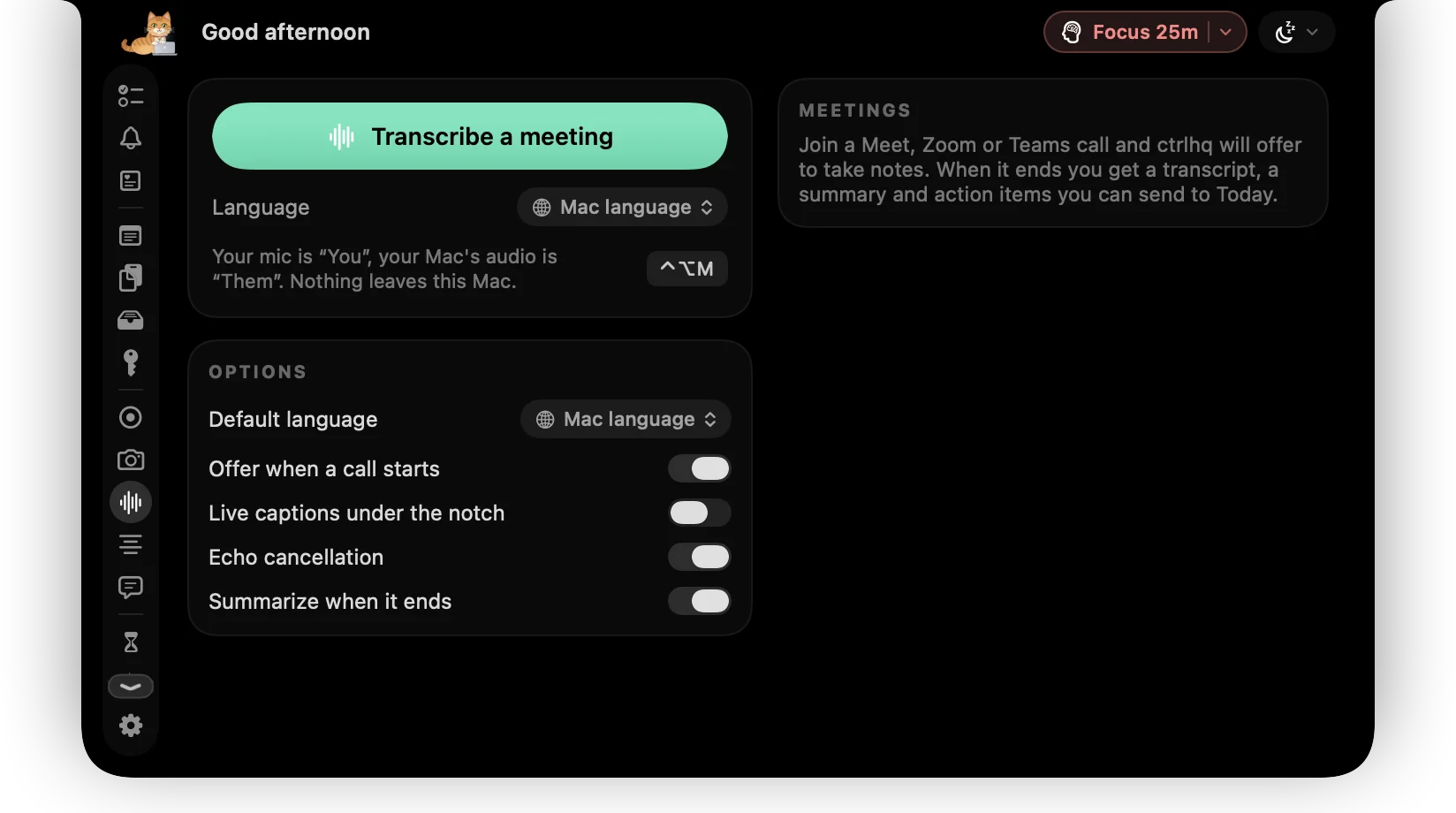
Offer to take meeting notes. Transcription and the summary happen on your Mac.
- 17:30Time reports
Wrap up
Open your time report, export it to CSV, and clear out old build folders before you close the lid.
Every tool in the notch
Time tracking
- Time trackingYour tasks and the running timer live in the notch, so you never forget to start or stop.
- Power tool⌘⇧Space from any app. Type a task, a sum, a file name, a reminder or an app, press Return, and you're back where you were.
- Idle detectionNo more phantom hours from a timer left running over lunch.
- Time reportsBy category and by task, for today, the last 7 or the last 30 days, with a timeline of your day.
- Focus timerStart a focus session on your top task. ctrlhq tracks the time and calls the break.
In the notch
- RemindersHealth presets and reminders you write yourself, counted in time you're actually at your Mac.
- AffirmationsPaste your affirmations and ctrlhq brings one up under the notch every so often. A gentle line, then it's gone.
- BrainsprintFive one-minute brain games that pop up under your notch when you choose. Quick math, word guess, memory and focus.
- ScratchpadRich-text notes that save as you type. For phone numbers, snippets and half-formed thoughts.
- Clipboard historySearchable clipboard history for text and images. ⌘⇧V opens it in any app.
- File shelfDrop files on the notch to hold them. Move them to a pinned folder, drag them out, or AirDrop them in one move.
- Image converterConvert to WebP, AVIF, HEIC, JPEG, PNG or TIFF and watch the file size change as you move the slider.
- Notch signA scrolling dot-matrix sign under your notch. ON AIR, In a meeting, or anything you like.
- Now playingBig artwork, controls, a scrubber and volume for Apple Music and Spotify, plus synced lyrics you can keep under the notch.
- BackdropMix ambient sounds to work to. They start with your timer, step aside for music and calls, and Nook joins in.
- Keep awakeKeep your Mac awake through a long download, a render or a talk. ⌃⌥K toggles it.
Calls & video
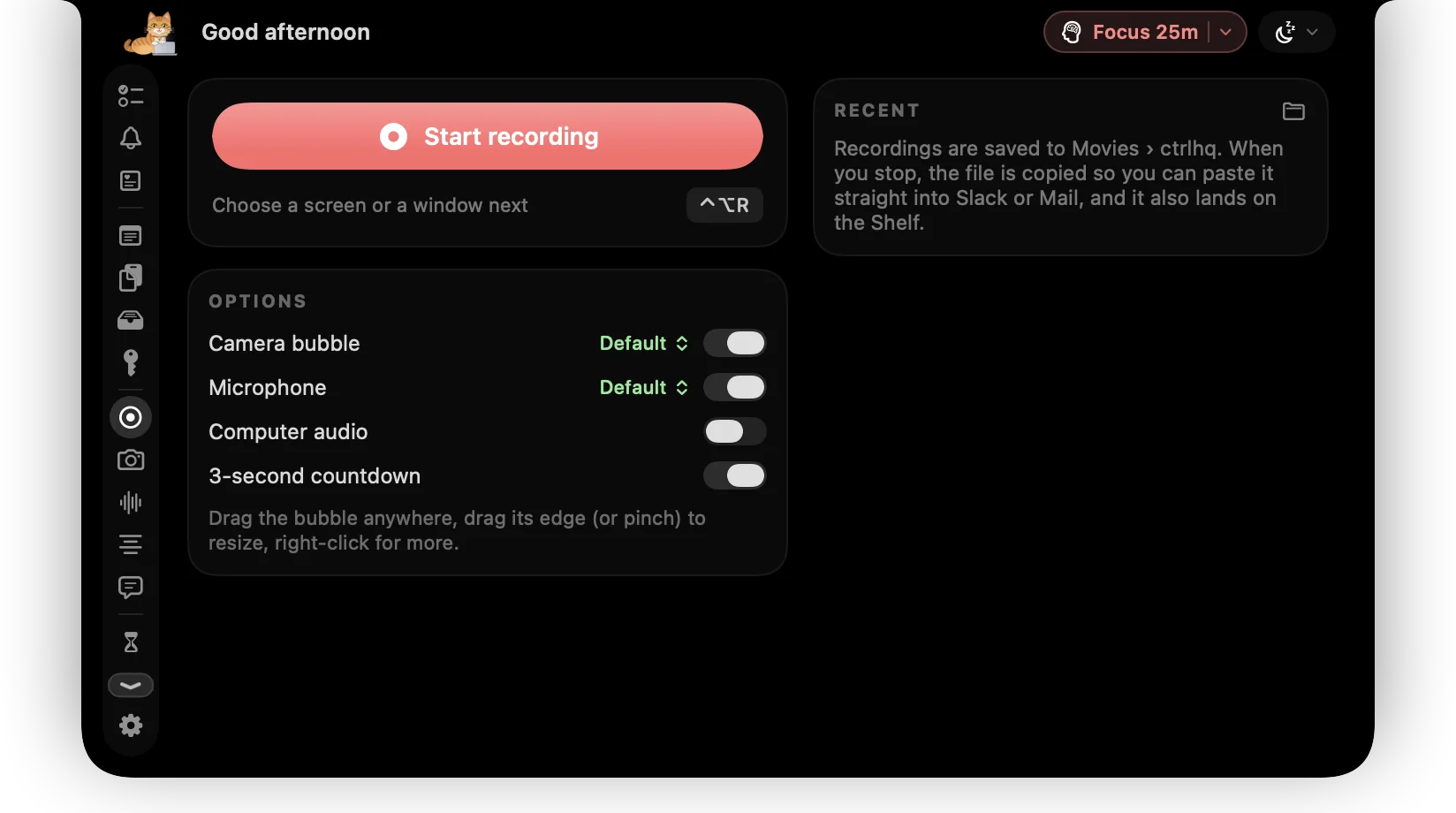
- Screen recordingRecord a screen or one window with your face in a bubble, your mic and your Mac's audio.
- Meeting notesctrlhq notices a call and offers to take notes. Transcribed on-device, with a summary and action items.
- Quick snapYour camera in the notch, a shutter with a self-timer, and a ring light: bright white around the notch that lights your face.
- TeleprompterYour notes scroll right under the camera, so you never glance away mid-sentence.
Your Mac
- Screen timeApp usage for today and the last 7 days, plus your battery's health.
- AI usage limitsClaude Code and Codex plan limits side by side: the 5-hour window, the weekly cap and when each resets, for every account you use.
- Display brightnessA slider for each display, including external monitors. Contrast and speaker volume too, where the monitor supports them.
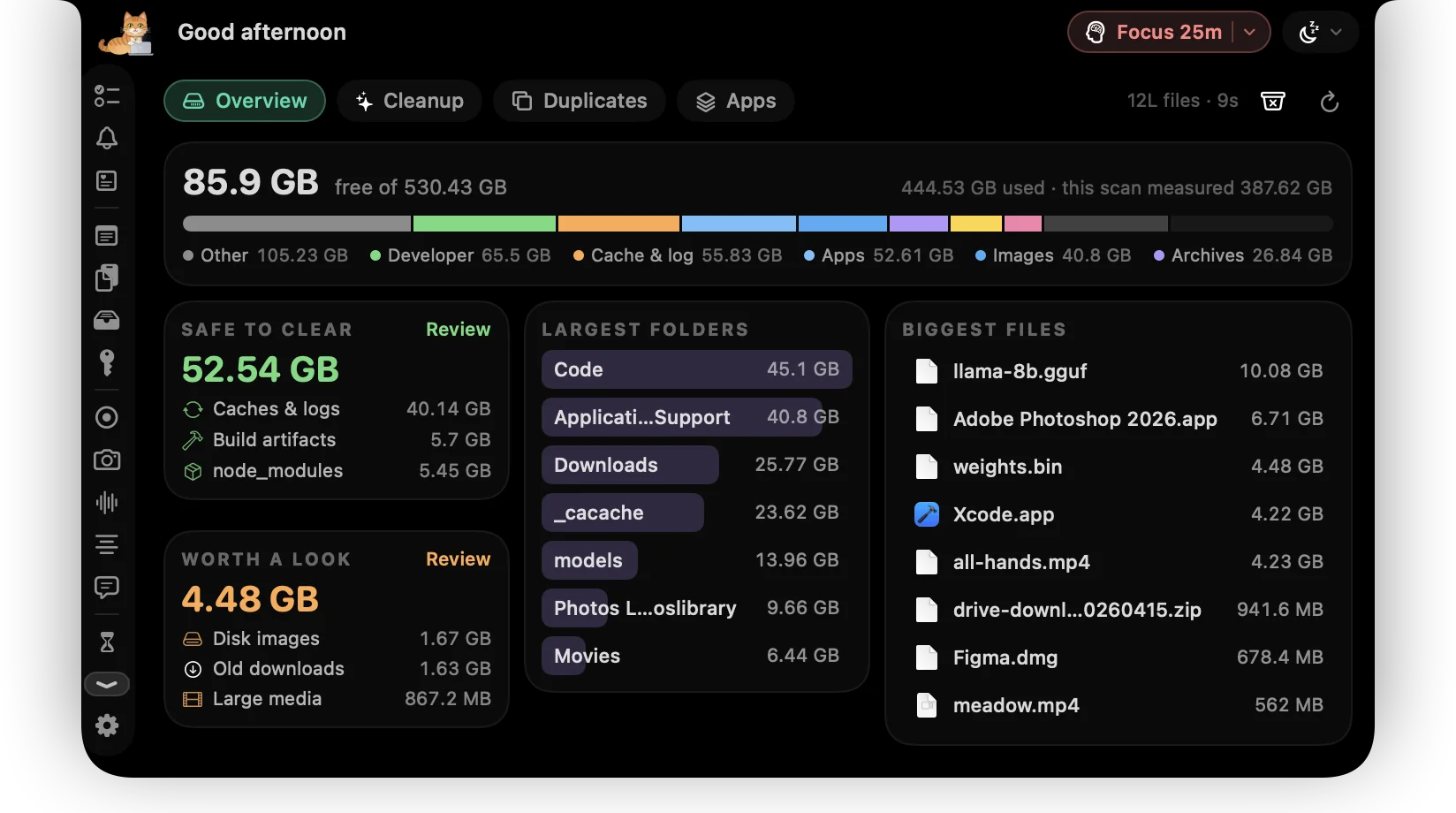
- Disk cleanupOne scan shows what's safe to clear, what's worth a look, and the biggest files and folders on your Mac.
- Duplicate finderEvery match is a full SHA-256, never a guess from a name. Keep the first copy and stage the rest in one click.
- App uninstallerUninstall an app and everything it left behind, see what it did all day, update it, and stop it starting at login.
- App LockMessages, Photos, your bank. Locked apps stay hidden until you unlock them.
- TelegramConnect your own Telegram bot to add a task or flash a message on the notch — or, if your Mac goes missing, snap a photo and its location.
- Batman hoursctrlhq notices, Nook puts on a mask, and it counts separately. No judgement.
- Nook the catNook naps when you're idle, types when you do, and cheers when you finish something.
- Keyboard shortcutsGlobal shortcuts for everything you do often. They work in any app and can all be rebound.
Questions
What makes a notch 'super'?
It does useful things on its own. ctrlhq tracks time, handles idle detection, runs focus sessions, keeps your clipboard and files, takes meeting notes and cleans your disk, so the notch is working for you instead of sitting there.
Can I use it just as a time tracker?
Yes. Time tracking is the core of ctrlhq, and the rest stays out of the way until you want it.
Will it get in the way of my work?
No. It's collapsed by default, shows only your running task and timer, hides while an app is fullscreen, and expands only when you hover.
Is there a subscription?
No. You pay once and get lifetime updates.

Put the whole toolbox in your notch.
$24.99 once, no subscription.
One-time purchase, lifetime updates
Already bought? Download
macOS 26 Tahoe or later · Apple silicon & Intel